
Final Launch & Handoff Report · updated 24 October 2026
Your site, your accounts, your code.
Kelsey, your new store is live at www.randkdesigns.com (since 15 October), and your old rkdesignsllc.com forwards there. Card checkout is live on your own Stripe, order emails go out from orders@randkdesigns.com, you can send invoices from your dashboard, and your launch campaign kit is ready for Saturday. This is the final report of the launch: what we built, how it's protected, how to tell people about it, your new customer list and phone app (live since 16 October), and the complete code handoff. For now the site runs on my Cloudflare while we set up yours. By the end, R&K's website lives in accounts in your name, the code sits in your own GitHub and on your own computer, and you or any web developer can change it. I'm a guest you can remove with one click.
01 Where we are · 24 October 2026
Your site is live, and it’s yours
Here's the short version, in seven lines.
- 1Your site is live at www.randkdesigns.com since 15 October: 24 pages, four builders and your dashboard, with every answer you sent on 12 October built in. Google can list it now. Every old rkdesignsllc.com link forwards to the same page on the new address, and so does the old preview, so old links, Google results and anything printed keep working.
- 2Customers can order and pay today. Card checkout is live on your own Stripe account: card, Apple Pay, Google Pay, Link, Cash App Pay and Amazon Pay, paid out to your bank. Venmo (@rkdesignsllc), cash at pickup and call or text to arrange still work, and you tap Mark paid once that money is in. Pickup orders add Eckert's 6.5% sales tax. On the night of 15 October a real card order went through, turned Paid, and was refunded, so the whole loop is tested.
- 3Order emails are on, and so are invoices. Order and request emails come from orders@randkdesigns.com, your copy of each one lands in rkdesigns324@gmail.com, and a customer can just hit reply. From your dashboard you can also build an invoice with your own lines and prices, send it, and send a receipt once it's paid, and cancel an order with your own email and a reminder for any refund you owe.
- 4Your launch kit is ready for Saturday. Two reels, six posts with Google versions, five Wanted-poster stories, four Etsy videos and every caption, with a posting calendar from Saturday 17 October to Saturday 7 November, all on one private page: rkdesigns-site-launch.pages.dev.
- 5You get the complete code, with its guides. A full copy of your site's code and its history, with guides for you, a guide for any web developer, a step-by-step for rebuilding it on your own accounts, and a guide for what to do if I'm ever unavailable. For now the site runs on my Cloudflare and randkdesigns.com sits in my Squarespace account, so we could launch without waiting. On moving day it all goes into your name, live orders and files included, and you set every password and key fresh.
- 6Your customer list and phone app went live on 16 October. Every customer and every request is in one place under Contacts, with a Today list of who to follow up, your dashboard installs as an app on your Samsung and buzzes for each new order, a private Google Calendar link shows your follow-ups and dates, and a short summary arrives around 7am. The one thing left needs your phone: we install the app and get a first real notification together. You can practise on a copy with made-up customers first. More in Live since 16 October.
- 7Everything you asked for since launch is built, as of today, 24 October. A Home page that shows what needs you now, a to-do list and your contacts; a search bar that finds anyone or any order; quotes you can open, step through, add notes to and set reminders on; "Approve this quote" for your customers; a newsletter; reports with charts; follow-ups after every sale; folders; a backup you can download and a copy saved every morning; a health check and a Monday summary email. Everything is live, and the full list, with what I still need from you, is in Everything built, up to today.
Your site · live
www.randkdesigns.com
Live since 15 October, and Google can list it now. Old rkdesignsllc.com links land here too.
Your dashboard
randkdesigns.com/admin
Orders, proofs, quotes, invoices, messages, your customer list and Today list, Mark paid. Installs on your phone like an app.
Your launch kit
rkdesigns-site-launch.pages.dev
Every reel, post, story, Etsy video and caption, with Download and Copy buttons and the calendar.
Your brand kit
rkdesigns-brand-kit.pages.dev
Logos, banners, QR codes for randkdesigns.com and copy-ready text for every profile.
Your final plan
rkdesigns-plan.pages.dev
The research and the decisions, with Send to Joe on each step.
The two things to read if you read nothing else
"It's yours" shows exactly which accounts are yours, what I hold for you for now, what I can and can't touch, and how you'll change the site yourself with Claude Code. "Code handoff" lists who holds each account today, what's in the code you get, and what to do if you can't reach me.
02 Launch day and the build
What we built, and what went live
Everything below is live on www.randkdesigns.com now. First the whole site in one table, then what went live on launch day, then the rounds before it. Nothing here needs anything from you except a look, and turning off the Wix site plan's auto-renew when you're ready.
What we built
| Piece | What it does |
|---|---|
| Four builders | The Hat Builder (your real Richardson 112 photos, leather patch or embroidery, live bulk pricing), the Shirt Builder, the Engraving Builder (2 lines, 5 lettering styles) and the Money Run braid designer (1, 2 or 4 colors in your paracord colors, plus your named colorways). Customers see their design before they order and can upload their own logo. |
| The shop and pages | Shop, Embroidery, DTF transfers, Money Run, Portfolio, Custom quote (with a file upload), Contact, FAQ, and your order terms and privacy page. Site search, breadcrumbs and a back-to-top button on every page. |
| Cart and checkout | Mix-and-match bulk pricing, shipping by item count or free pickup in Eckert, 6.5% sales tax on pickups, the "I've read the order terms" box, an optional photo-permission box, and the ways to pay in Ways to pay. Every price comes from one price list, so the page and the payment always match. |
| The customer's order page | A private link for each order: they approve your proof, send more artwork, follow the status from received through proof, approval and production to ready for pickup or shipped (with tracking), and can order again. "Lost your link?" emails it to the address that ordered. |
| Your dashboard | Orders, proofs, quotes, messages, your customer list (Contacts) and Today list, invoices and Mark paid, on your phone or computer, and as an app on your Samsung with notifications since 16 October. Downloads for orders, customers, contacts, quotes, newsletter sign-ups and a Pirate Ship shipping file. |
| Order emails | Confirmations, proofs, status updates, invoices and receipts to customers, and a copy of each new order or request to you, all from orders@randkdesigns.com. |
| Getting found | A sitemap, Google's business and product details, a product feed for free Google Shopping listings (14 products), and every old Wix address forwarding to the right new page. See Search engines. |
| Safety | Card details never touch your site, private pages need a key nobody can guess, and no trackers. See Security. |
| Speed | Home page 94 on a phone and 99 on a computer, against 59 and 79 for your old Wix home. See Speed and quality. |
Launch day, 15 October
| What | Where to see it |
|---|---|
| Live on your new domain. ✓ Live Your site is at www.randkdesigns.com: all 24 pages. Google can list it now, with a map of your 18 main pages to work from, while your dashboard stays private. randkdesigns.com without the www goes to the same place. I bought randkdesigns.com on 15 October; it sits in my account for now and moves into your name when your accounts are set up. | https://www.randkdesigns.com |
| Your old address forwards. rkdesignsllc.com stays registered to you at Wix (keep the domain renewing; it renews 7 March 2027). Every address on it now forwards to the same page on www.randkdesigns.com, so old links, Google results, your Wix product links and anything printed land in the right place. The old preview address forwards too. That also means the domain transfer we'd planned isn't needed any more. | Any old rkdesignsllc.com link |
| Your old Wix site. It's off your domain now and still sits at kels3990.wixsite.com/k-designs. You can turn off auto-renew on the Wix site plan whenever you're ready (about two weeks after launch is a good time), but not on the domain. | Your Wix account |
| Order emails from your own domain. ✓ Live On since 15 October. Order and request emails come from orders@randkdesigns.com, your copy of each one goes to rkdesigns324@gmail.com, and a customer can just hit reply. I tested it with a Venmo pickup order (RK-1004), and both emails arrived. Add orders@randkdesigns.com to your Gmail contacts so they never land in spam. | https://www.randkdesigns.com/admin |
| Card checkout, on your own Stripe. ✓ Live Your Stripe account went live on 15 October, and card checkout switched on that evening. Customers pay on Stripe's secure page by card, Apple Pay, Google Pay, Link, Cash App Pay or Amazon Pay, and the money is paid out to your bank. That night a real card order went through, turned Paid with both emails, and was refunded in Stripe, and the "Refunded in Stripe" note showed up on the order. See Ways to pay. | https://www.randkdesigns.com/cart |
| Invoices from your dashboard. ✓ Live Tap New invoice, or Create invoice on a quote request, add your own lines and prices, and send it. The customer gets an itemized invoice email and a private invoice page they can print or save as a PDF. Once they've paid, Send receipt. Invoices are paid by Venmo, cash at pickup or however you arrange; paying an invoice by card comes later. | https://www.randkdesigns.com/admin |
| Cancel an order, your way. ✓ Live On an order, choose Update status > Cancelled and a cancel box opens: pick why (only you see it), say what happens to their payment, and edit the email it fills in for you, with a personal note and a preview. Untick it to cancel without emailing. If you still owe a refund, the order shows Refund pending until you tap Mark refunded. Cancelling never refunds by itself: card refunds happen in your Stripe. | https://www.randkdesigns.com/admin |
| Your customer list, Today list and phone app (16 October). ✓ Live Everyone who orders, asks for a quote, writes to you or signs up is a contact, with a label, notes, follow-ups and ready-made emails. A Today tab shows what's due. The dashboard installs on your Samsung and buzzes for each new order, a private Google Calendar link shows your dates, and a summary arrives around 7am. See Live since 16 October. | https://www.randkdesigns.com/admin |
| Embroidery digitizing fee. A new logo has a one-time digitizing fee of $25 to $150, depending on how detailed it is. Reorders of the same logo are free. It isn't charged at checkout: you confirm it on the proof. It shows on the Embroidery page, the Hat Builder and the FAQ. | https://www.randkdesigns.com/embroidery |
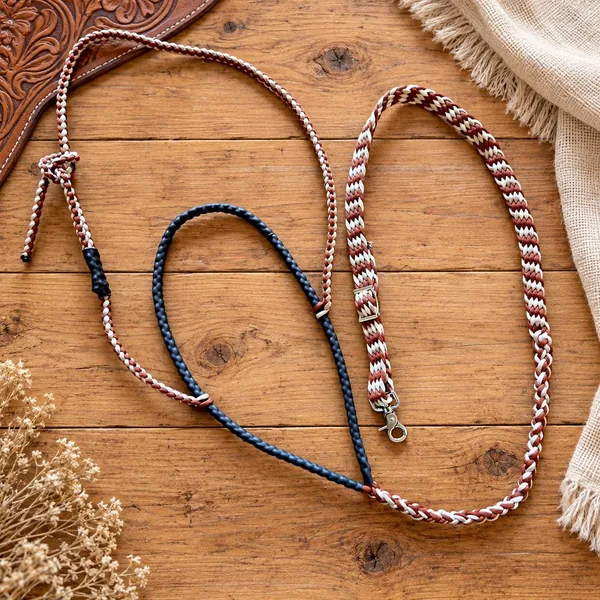
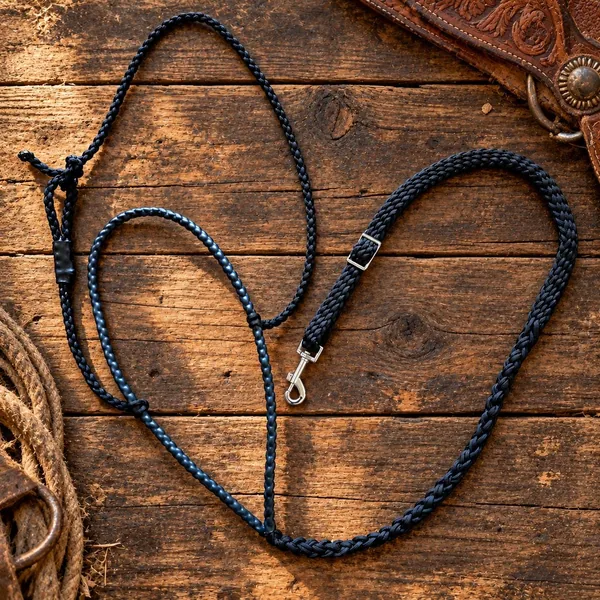
| Money Run colorways. Desert Turquoise, Black Betty, Red Dirt and Pink Pony Club, each as reins ($34), a tie-down ($95) or a matching set (price on request), with Vegas Lights marked "coming soon". They're on the Money Run page and as cards in the shop under Braided tack. Tap Order and the colorway fills into the order request. | https://www.randkdesigns.com/money-run |
| Your brand kit, new address. The QR codes in your brand kit open randkdesigns.com, ready for anything you print. (Etsy is the one place a QR code or website link never goes.) | https://rkdesigns-brand-kit.pages.dev |
| Your launch campaign kit. ✓ Done Two reels, six posts with Google versions, five Wanted-poster stories, four Etsy videos and every caption, with a posting calendar from Saturday 17 October to Saturday 7 November. See Your launch kit. | https://rkdesigns-site-launch.pages.dev |
| A security check. ✓ Done I went through how your site protects you and your customers the night card checkout went live, and wrote it up with a short to-do list. See Security. | This report |
Your answers, 12 October
| What | Where to see it |
|---|---|
| Pickup, with your address private. Free pickup in Eckert, 9am to 5pm or by special request. Your street address isn’t on any page: a customer sees it only on their own order page and email once a pickup order is paid. Cash-at-pickup customers get it when you mark the order “Ready for pickup.” | https://www.randkdesigns.com/contact |
| Sales tax. Pickup orders add Eckert’s 6.5% (state 2.9%, Delta County 2%, two 0.8% county districts), shown in the cart, on the order and in the card payment. Tax on shipped orders follows the delivery address; the automatic part for shipped card orders switches on later (see Ways to pay). | https://www.randkdesigns.com/cart |
| Your prices. 3D puff adds $1.50 a hat, and the Hat Builder shows it as they design. Left chest and sleeve prints are $2 a shirt. Engraving a tumbler the customer brings is $15+, depending on their logo; the 40 oz ($45) and 20 oz ($30) stay. | https://www.randkdesigns.com/hat-builder |
| Engraving. Your fonts are set, and the builder tells customers they can upload their own lettering as an image. The 40 oz comes in Rawhide/Black. | https://www.randkdesigns.com/engrave-builder |
| Columbine Blue. “Cardinal” is renamed everywhere, photos included. | https://www.randkdesigns.com/hat-builder |
| Hoodies & sweaters are in, ordered on request in any brand or style. Marketing materials are off the site. | https://www.randkdesigns.com |
| Photo permission. Checkout has an optional, unticked box: “OK to show photos of my order on R&K’s website and social media.” Your dashboard shows the answer on every order. | https://www.randkdesigns.com/cart |
| Confirmed: rkdesigns324@gmail.com on every page, the shipping rates, the order terms (no longer a draft) and the About story. Venmo orders show @rkdesignsllc. | https://www.randkdesigns.com/policies |
Earlier, 10 October
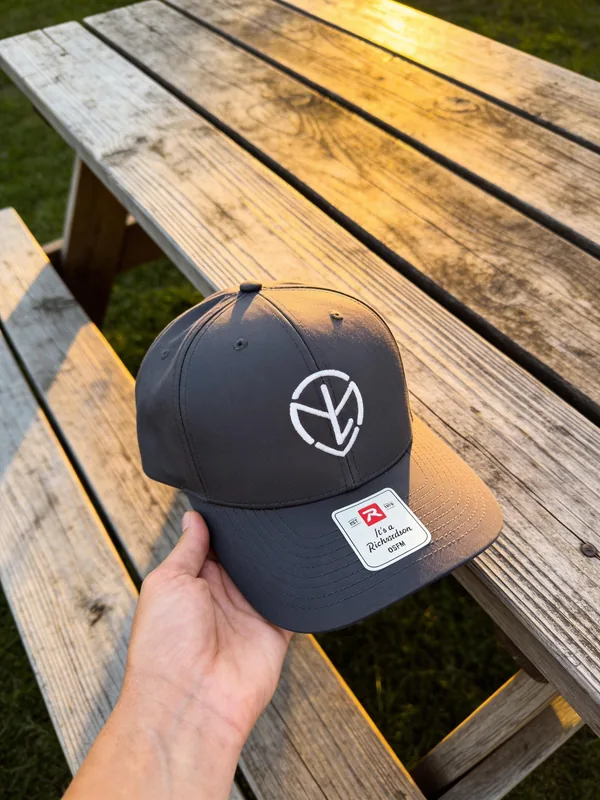
| What | Where to see it |
|---|---|
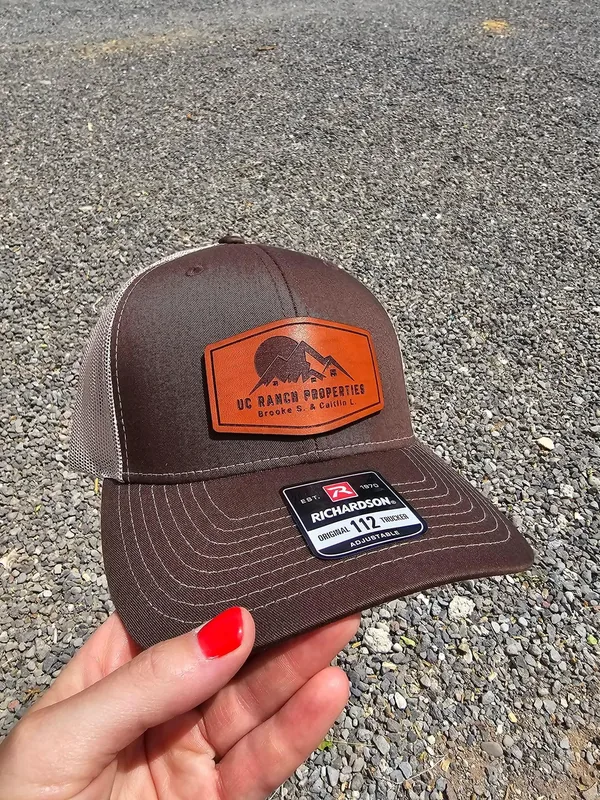
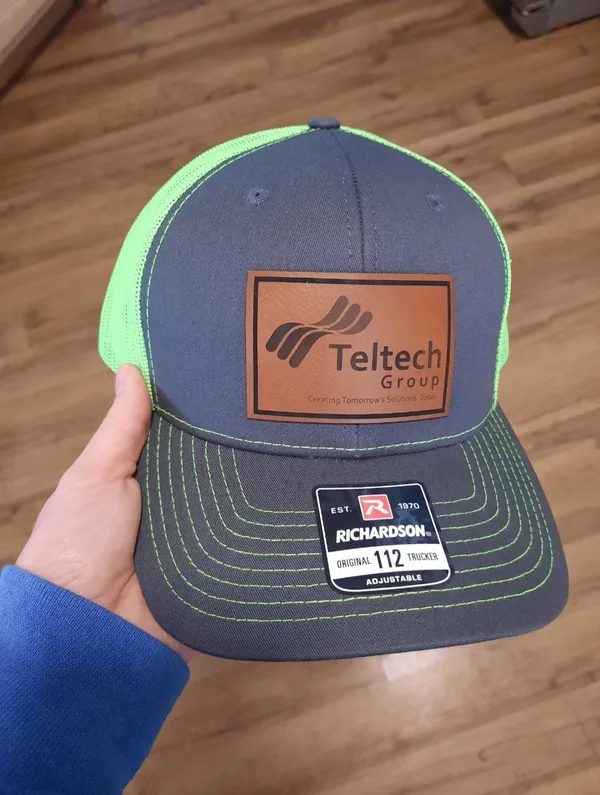
| Your Etsy photos. The Red Dirt and Black Betty tie-downs, four more reins shots, the UC Ranch Properties and Teltech Group hats, and three embroidered caps. Your Etsy also confirmed the tie-down at $95 and the reins at $34. | https://www.randkdesigns.com/money-run and https://www.randkdesigns.com/portfolio |
| Two captions fixed. Two photos from the Dropbox that I'd called reins are tie-downs on your Etsy: brown and cream is the Red Dirt tie-down, black and blue is the Black Betty tie-down. The tie-down spot in the braid designer now shows a real tie-down. | https://www.randkdesigns.com/money-run |
Site search. A search button in the header (or the / key on a computer) finds any page, product or FAQ answer. | Every page, top right |
| Back-to-top button. It appears once you scroll, and lifts above the builders' price bar so it never covers it. | Every page, bottom right |
| Breadcrumbs. A small "Home > Hat Builder" trail at the top of inner pages, which Google can also show in search results. | Every page except home |
| The "stitched" headline. "Your brand, burned and stitched into real leather": the stitching no longer overlaps the words. | https://www.randkdesigns.com |
| Ways to pay at checkout. Card, Apple Pay and Google Pay through Stripe (live since 15 October), with bank transfer on orders of $300 and up coming next; Venmo; cash at pickup; or call or text you to arrange. Orders that aren't paid by card go straight to your dashboard, where you tap Mark paid once the money is in. See Ways to pay. | https://www.randkdesigns.com/cart |
| Your full name. Kelsey Simpson now shows in the site's business details (the ones Google reads), on the contact page and in the order emails' signature. | https://www.randkdesigns.com/contact |
Still on my list from your emails
Your thread colors, DTF transfer prices and press settings, long-sleeve colors, whether embroidery on the back of a hat costs extra, and photos: your shop, shirts, transfers and each paracord color, plus a photo and the colors for Vegas Lights. They sit in Go live with the after-launch items, so they don't hold anything up.
How we got here, 1 to 16 October
| When | What happened |
|---|---|
| 1 October | I started the rebuild with research on your business, and sent the quote report and the storyboard. |
| 7 October | Your first feedback: the western font, the Money Run split hero, and your real Richardson 112 photos in the Hat Builder. We agreed the build as a trade: you design and print for Mimi's Sweet Treats and Vivere Colorado, and the site costs you $0. Your final plan went out as Draft 1. |
| 8 October | A six-reviewer audit of the whole site, then the big upgrade: customer emails, order lookup, the policies draft, your dashboard's Setup panel, the launch switch, the sitemap and the Wix redirects. Then the tooled-leather redesign, Draft 2 with your price sheet, shipping by item count, Order again, your Customers list and the Pirate Ship file, your photos and Money Run logo, the Google product feed, and the Shirt and Engraving Builders. |
| 10 October | Your feedback round: the stitched headline, reins, tie-downs and matching sets, 1, 2 or 4 color braids, your 12 paracord colors and DTF transfers. Your Etsy photos, site search, back-to-top and breadcrumbs. Venmo, cash at pickup and call to arrange with Mark paid. The speed test and this report's first version. |
| 12 October | Your answers went live: private pickup, your hours, Eckert's 6.5% tax, your prices, Columbine Blue, hoodies and the photo-permission box. A tax and checkout review. Your clean code copy, ready to hand over. |
| 14 October | Your brand kit page, with styled QR codes. |
| 15 October | Launch day: randkdesigns.com, the live site, the old address forwarding, the digitizing fee, the Money Run colorways, order emails, invoices, your live Stripe with card checkout, a real card order and refund, the security check, and your launch campaign kit. |
| 16 October | Cancel order, with your own email and a refund reminder. Then your customer list, Today list, phone app, Google Calendar link and morning summary went live. |
03 Checkout · card live since 15 October
Ways to pay
Customers pick how they pay right in the cart. Since the evening of 15 October, card checkout is live on your own Stripe account, and Venmo, cash at pickup and call or text all still work. Card payments are paid out to your bank. Everything that isn't paid through Stripe comes straight to you, and your dashboard keeps track.
What customers see
In the cart, under "How would you like to pay?", they pick a button. Card is picked to start with:
| Button | What happens next | What the order email tells them |
|---|---|---|
| Card, Apple Pay or Google Pay | Live. They tap Continue to secure payment and Stripe's own checkout page opens. Your Stripe offers card, Apple Pay, Google Pay, Link, Cash App Pay and Amazon Pay there. They pay right away and the order lands in your dashboard as paid. | Their order confirmation. |
| Venmo | Works today. The order goes straight to you, unpaid. | "I'll send you a Venmo request (@rkdesignsllc) with your proof." |
| Cash at pickup | Works today. Only offered when they choose pickup in Eckert. The order goes straight to you, unpaid. | "Pay in cash when you pick up in Eckert." |
| Call or text me to arrange | Works today. For a check, an invoice or anything else. The order goes straight to you, unpaid. | "I'll call or text you to set up payment." |
Under the buttons, the cart says: "Card is paid now. With Venmo, cash or a call, your order goes straight to Kelsey and you pay her directly: Venmo (@rkdesignsllc) with your proof, cash at pickup, or however you two arrange." Every customer also ticks "I've read the order terms" before paying, and can tick an optional "OK to show photos of my order" box.
Pay by bank, next. On orders of $300 or more, Stripe can also offer pay by bank (US bank account). The site is built for it, and your Stripe test account already has the $300 rule, but it's switched off on your live account for now, so the site doesn't mention it. We switch it on together once you're ready: steps in Go live.
Sales tax. Pickup orders add Eckert's 6.5% on the goods, whichever way they pay; it's in the cart, on the order and in the card payment. Shipped orders are taxed where they're delivered. On a shipped Venmo or arranged order you add it to the payment yourself, with a reminder on that order in your dashboard. On a shipped card order, Stripe adds it: Stripe Tax is on since 16 October with your Colorado registration, so card checkout works out the tax for the delivery address and adds it as its own line (Stripe charges a small fee on taxed sales; see stripe.com/pricing). We tested it with a shipped checkout to a Colorado address, and your dashboard's Setup shows 8 of 8. Your Colorado sales tax licence is on file (12 October), so you're set to collect it.
What you see
- Card orders show up in your dashboard as paid, and you get a "Paid order" email.
- Venmo, cash and call-to-arrange orders show as unpaid, with how they're paying. Once you have the money (really in your account, never from a screenshot), tap Mark paid. That's it: the order moves on like any other.
- Order emails are on: they come from orders@randkdesigns.com, your copy of each one goes to rkdesigns324@gmail.com, and customers can just hit reply.
- Refunds: refund in Stripe, then cancel the order in your dashboard with the cancel box (Update status > Cancelled), which emails the customer in your words and keeps a Refund pending reminder until you mark it done. The refund adds a private "Refunded in Stripe" note to the order on its own; your test refund on 15 October did exactly that.
- Disputes: if a customer ever disputes a card payment, you get an email right away with Stripe's deadline. Hold the order and call me.
- Payouts go from Stripe to your bank. If Stripe emails you to finish its account review, do what it asks so payouts keep flowing.
- Bank payments (once we switch them on) will show a "Bank payment processing" tag and the date it should clear. If a bank payment fails, you and the customer both get an email.
Fees, in plain words
| How they pay | What it costs you | On a $300 order | On a 48-hat order ($1,344) |
|---|---|---|---|
| Card, Apple Pay, Google Pay (Stripe) | 2.9% + 30¢ | $9.00 | $39.28 |
| Pay by bank (Stripe, $300 and up, coming next) | 0.8%, capped at $5. Possibly $1.50 more for Stripe's instant bank check unconfirmed | $2.40 | $5.00 |
| Venmo business profile | 1.9% + 10¢ per payment you receive | $5.80 | $25.64 |
| Venmo personal account (purchase payments) | 2.99% | $8.97 | $40.19 |
| Cash at pickup | $0 | $0 | $0 |
Stripe fees are from my 8 October research; Venmo's are from venmo.com ("Our fees" and "Venmo for Business"), read 10 October 2026. Stripe has no monthly fee. A card clears right away; a bank payment takes about 4 business days. Link, Cash App Pay and Amazon Pay have their own fees: Stripe's pricing page, stripe.com/pricing, shows the current numbers.
A note on Venmo
Venmo only allows selling through a business profile, or through payments the buyer marks as a purchase. A business profile hangs off your personal Venmo, has no setup or monthly fee, and costs 1.9% + 10¢ per payment. Where that stands:
- ✓ Your business profile is @rkdesignsllc (12 October).
- ✓ The cart, order page, invoices and emails show it.
- Still to do: on your phone, we check together whether your business profile can send a request to a customer, or only an invoice. The site promises "a Venmo request with your proof"; Venmo's business page only mentions in-app invoices unconfirmed. I'll change the wording to match how you actually collect.
Etsy stays separate
None of these ways to pay ever goes on Etsy. Etsy's rules (updated 5 October 2026) ban naming Venmo, cash or any other outside payment to an Etsy buyer. Etsy orders are paid through Etsy, always. More in Your listings: Etsy.
Card went live the same day we launched
Your site went live on the afternoon of 15 October with Venmo, cash at pickup and call or text, so it didn't wait on Stripe. That evening your live Stripe account was set up, the two keys went into Cloudflare, and card checkout switched on. Then one real card order was paid and refunded to prove every step. The details are in Go live.
04 Going live · site live since 15 October
Going live: what’s done and what’s left
Your new site went live on Thursday 15 October 2026 at www.randkdesigns.com, and by that night card checkout, order emails and invoices were all on. Here's what happened that day, and the short list that's left: a stronger dashboard password, clearing the test orders, pay by bank, sales tax on shipped card orders, and your Google listings.
The site has a launch switch that won't go live while anything on it is a guess. On 10 October it stopped on 37 dashed "TBD" spots and 11 unconfirmed facts; your 12 October answers cleared most of them, and every spot still waiting on a photo or detail came off the site until you send it. So no customer ever sees a TBD.
This section has four parts: what happened on 15 October, what I do next, what I need from you, and how card payments went live (with pay by bank next). After launch items can wait, because the site already works without them.
The marks
✓ Done finished ◐ Waiting on you your answer or your sign-up → Me my job ● Together, on a call you click, I guide ○ After launch can wait
1. What happened on 15 October
| # | What | Status |
|---|---|---|
| 1 | Your new address, randkdesigns.com. I bought it at Squarespace on 15 October. For now it sits in my Squarespace account, with its DNS (the settings that point it at your site) on my Cloudflare. It renews every year, next around 15 October 2027, and I keep it renewing until moving day, when it goes into your name. | ✓ Done |
| 2 | The live site. All 24 pages, at https://www.randkdesigns.com. The www address is the main one: randkdesigns.com (without www) and the old preview, rk-designs.pages.dev, both forward to it. Your dashboard is https://www.randkdesigns.com/admin. | ✓ Done |
| 3 | Open to Google. robots.txt lets search engines in everywhere except your dashboard and the site's behind-the-scenes addresses (/admin and /api/), and the sitemap lists your 18 public pages: https://www.randkdesigns.com/sitemap.xml | ✓ Done |
| 4 | The launch check. Run from outside against the live address, it passed every item: robots.txt, the sitemap, every page open to Google with the right address, private pages hidden, every old link forwarding, and the bare domain and the old preview forwarding to www. Then a click-through on a phone found no errors. | ✓ Done |
| 5 | Your old address keeps working. rkdesignsllc.com stays registered in your Wix account, but it now points to my Cloudflare, and every address on it forwards to the same page on www.randkdesigns.com. Old links, Google results, Wix product links and anything you've printed all land on the new site. Your old Wix site was taken off the domain and now sits at kels3990.wixsite.com/k-designs. | ✓ Done |
| 6 | Order emails on. Resend (my account for now) verified randkdesigns.com, the sending key went in, and a test order (RK-1004, Venmo, pickup) sent both emails: the customer's confirmation and your copy at rkdesigns324@gmail.com. | ✓ Done |
| 7 | Your dashboard password was set. It's shorter than I'd like, so a longer one is first on the list in part 2. | ✓ Done |
| 8 | Invoices. New invoice, Create invoice on a quote, Send invoice, Send receipt, and a printable invoice page, all in your dashboard. | ✓ Done |
| 9 | Your live Stripe account. Set up in your name, paying out to your bank. Live payment methods: card, Apple Pay, Google Pay, Link, Cash App Pay and Amazon Pay on; Affirm, Klarna and Afterpay off; pay by bank (ACH) off for now. The live webhook, the connection that tells your site a payment went through, sends the seven events below to https://www.randkdesigns.com/api/stripe-webhook. | ✓ Done |
| 10 | Card checkout on. The live secret key and the webhook's signing secret went into Cloudflare (Production only), and the next deploy put the card button in your cart. | ✓ Done |
| 11 | A real card order, then a refund. RK-1005, $31.95, paid by card. It turned Paid with both emails, it was refunded in Stripe, and the "Refunded in Stripe" note appeared on the order. It still needs a tap on Cancel in your dashboard (part 2). | ✓ Done |
| 12 | The security check and your launch kit. I wrote up how the site protects you (see Security) and a list of policy wording updates for your OK, and built your launch campaign kit (see Your launch kit). | ✓ Done |
That means no domain transfer any more: the move off Wix we'd planned isn't needed. Your old domain just stays where it is and forwards (more in the box at the end of this section).
2. What I do
| # | What | Status |
|---|---|---|
| 1 | A new dashboard password, with you. 4 or 5 random words (14 characters or more), saved in your password manager and set in person, never by text or email. Then I reset the separate signing secret so every old sign-in is logged out, and redeploy. | ● Together, on a call |
| 2 | Clear the test data, with you. Cancel the launch-night card test (RK-1005, refunded in Stripe) and RK-1004 (my unpaid Venmo test), run "Delete demo orders" and clear the old test quote. I never delete orders on my own. | ● Together, on a call |
| 3 | DNSSEC back on for randkdesigns.com: done 22 October. It's a lock that stops anyone faking where your address points; it was off during the move. | ✓ Done |
| 4 | Google Search Console (you sign in with your Google account, I guide). Add randkdesigns.com, verified with a record I add to its DNS, submit https://www.randkdesigns.com/sitemap.xml, and ask Google to look at the home page and the Hat Builder first. | ● Together, on a call |
| 5 | Google Merchant Center (you sign in, I guide). Claim the website, enter your shipping rates and return policy, then add the product feed https://www.randkdesigns.com/feeds/products.xml as a scheduled fetch. It lists 14 products today. Google reviews the feed before the free listings show. | ● Together, on a call |
| 6 | Pay by bank on $300 and up (part 4). The webhook is proven, so it's ready whenever you are. | ● Together, on a call |
| 7 | Venmo wording, matched to how your business profile actually collects (request or invoice). See Ways to pay. | ● Together, on a call |
| 8 | Close old test copies of the site that still write to your live database, and rerun the speed test on the live address. | → Me |
| 9 | Your business email. Done 22 October: kelsey@randkdesigns.com and orders@randkdesigns.com forward to rkdesigns324@gmail.com with Cloudflare Email Routing, tested. Optional next: Gmail's "Send mail as", so you can reply from kelsey@randkdesigns.com. We set that up together, and no key is ever sent by email. | ✓ Done |
The seven Stripe events the webhook listens for:
checkout.session.completedandcheckout.session.expiredcheckout.session.async_payment_succeededandcheckout.session.async_payment_failed(bank payments clearing or failing)charge.refundedcharge.dispute.createdandcharge.dispute.closed
After launch
- Stripe Tax for shipped card orders (
STRIPE_TAX=1): on since 16 October. Stripe Tax and your Colorado registration were set up in Stripe first, then I switched the site on; a shipped test checkout to a Colorado address showed the tax line. Pickups carry Eckert's 6.5% as before. - Your policy updates go on the site once you've OK'd the wording: a few lines Stripe and privacy law expect (see Security), plus one paragraph about the customer record your dashboard now keeps (see Live since 16 October).
- Your after-launch answers go onto the site as they come in (or you put them in yourself with Claude Code).
- Bing Webmaster Tools (it imports from Search Console), review requests, Tap to Pay, and moneyruntack.com if you want it.
- Moving it all into your name, when you're ready. You already have your own Cloudflare, GitHub and Claude accounts; you add a free Resend account for the order emails. Then the site, its order database and your artwork storage move into your Cloudflare, and the randkdesigns.com settings go with them. Real orders live in the database now, so the move copies your live orders and uploaded files across instead of starting from an empty database. More in It's yours and Code handoff.
- Your customer list and phone app went live on 16 October, and I tested installing it and getting real notifications on my own phone. Next we put it on yours, about 2 minutes. See Live since 16 October.
3. What I need from you
Now
| # | What | Status |
|---|---|---|
| 1 | Before Saturday 17 October, 7:30 am: point your profiles at the new address. Your Instagram bio link first, then your Facebook website and Shop now button, then your Google Business Profile website, all to https://www.randkdesigns.com. The exact steps and text are in your launch kit and in Your listings; QR codes for randkdesigns.com are on your brand kit page, https://rkdesigns-brand-kit.pages.dev. Etsy is the exception: no website link or QR code there, ever. | ◐ Waiting on you |
| 2 | Delete the "api code" email. The email you sent me with that subject held your live Stripe key. That key is being rolled in Stripe, so the old one stops working. Delete the email from your Sent folder and your Trash, and never email or text a key again. | ◐ Waiting on you |
| 3 | Verify your Stripe login email, the one you sign in to Stripe with. Stripe showed it as unverified on 15 October; if it still does, tap the verify link in Stripe's email. | ◐ Waiting on you |
| 4 | Two-step login on Gmail and Stripe with an authenticator app, not texts. Backup codes on paper. | ◐ Waiting on you |
| 5 | Cloudflare's verification email: done, you clicked it. Since 22 October kelsey@randkdesigns.com and orders@randkdesigns.com forward to rkdesigns324@gmail.com. | ✓ Done |
| 6 | Add orders@randkdesigns.com to your Gmail contacts, so order emails never land in spam. | ◐ Waiting on you |
| 7 | Your Etsy bulk-order listing. Etsy is priced per hat, the same as the site; update the embroidered-hat listing's "Bulk Order: 12 ($26.00)" so it reads as a price per hat. | ◐ Waiting on you |
| 8 | Your policy update list. A few answers, like where you ship and when your privacy notice took effect. I'll get you the list and we'll go through it together. Nothing goes on the site until you OK it. | ◐ Waiting on you |
| 9 | Money rules. Mark Venmo or cash paid only when the money is really there, never from a screenshot. Never take card numbers by text, email or phone. | ◐ Waiting on you |
Can follow after launch
Until you send each of these, its spot stays off the site.
| What | Where it shows | Until then | Status |
|---|---|---|---|
| Embroidery thread color list and back-placement charge | Hat Builder, Embroidery | Customers note their colors on the order and see them on your proof; back placement is by quote. (The digitizing fee has been on the site since 15 October: $25 to $150 one time per logo, free on reorders, confirmed on your proof.) | ○ After launch |
| DTF transfers: your prices (by size or sheet), press time, temperature and pressure, turnaround | DTF transfers page | Transfers by quote | ○ After launch |
| Long sleeve colors and a photo | Shirt Builder, long sleeve page | Long sleeves by quote | ○ After launch |
| Vegas Lights: a photo and its colors | Money Run, and the shop's Braided tack filter | Shows as "coming soon" next to Desert Turquoise, Black Betty, Red Dirt and Pink Pony Club | ○ After launch |
| Photos: a 3D puff hat, the Run at the Rose rope hats, a stack of transfers, a sheet of logos, a transfer pressed on a shirt, a long sleeve, your shop, ranch brand work, one of each paracord color | Embroidery, DTF, Shirt Builder, home, Portfolio, Money Run | Those photo spots stay off. Text or email me full-size photos (not screenshots) | ○ After launch |
| Reviews you're happy to share, and your Google review link (for a review QR code) | Home, your brand kit | Left off | ○ After launch |
| Bigger decisions: a deposit rule for big orders, Tap to Pay for fairs, moneyruntack.com, a newsletter, and whether your beaded jewelry belongs on the site | Final plan steps | We pick these up after launch | ○ After launch |
4. Card payments: how they went live
On 15 October, in this order:
- Your part. You switched your Stripe account to live, with your business and identity details and the bank account your sales are paid into. Only you could do that.
- Live settings. Card, Apple Pay, Google Pay, Link, Cash App Pay and Amazon Pay on; Affirm, Klarna and Afterpay off; pay by bank (ACH) off for now.
- The live webhook. To https://www.randkdesigns.com/api/stripe-webhook, listening for the seven events in part 2.
- The two keys. Your live secret key (
STRIPE_SECRET_KEY) and the webhook's signing secret (STRIPE_WEBHOOK_SECRET) went into Cloudflare, Production only, never Preview. I set them with Cloudflare's command line (wrangler). The live key is a full secret key, not a restricted one. Keys are never emailed or sent in a message, and the key in your "api code" email is being rolled in Stripe. - Redeploy. Settings only take effect on the next deploy. That deploy put the card button in your cart.
- One real order, then a refund. It turned Paid with both emails; the refund in Stripe added the "Refunded in Stripe" note. Stripe keeps its card fee on a refund. Your refund routine from now on: refund in Stripe, then Cancel in your dashboard.
Next: pay by bank on $300 and up
About 10 minutes together, whenever you're ready:
- In your Stripe (you click, I guide): Settings > Payment methods > turn on US bank account, then set its minimum to $300, the same rule your test account already has.
- On the site (me): switch the bank lines on and run
.\deploy.ps1 -Live. The cart, FAQ and order terms then mention pay by bank on $300 and up. - Check (both): on an order of $300 or more, Stripe's checkout offers pay by bank. A bank payment takes about 4 business days to clear, and you both get an email if one fails.
About two weeks after launch (around Thursday 29 October)
- Search Console, together. We look at which pages Google has picked up and which searches find you.
- Your Wix site plan (you). Turn off auto-renew on your Wix site plan (Premium) whenever you're ready. Not the domain: see the box below.
From now on. Every deploy to your live site is .\deploy.ps1 -Live. A plain .\deploy.ps1 would put the hidden preview build on the live site, so never run it; on my computer a LAUNCHED marker stops that mistake. To try a change first, .\deploy.ps1 -Staging puts it on your private test copy, https://staging.rk-designs.pages.dev. Your CLAUDE.md already tells Claude this.
Your old address: keep the domain, drop the site plan
rkdesignsllc.com stays registered in your Wix account, and every address on it forwards to the same page on www.randkdesigns.com. Keep the domain renewing (it renews 7 March 2027): that's what keeps old links, Google results and anything you've printed working. Only the Wix site plan can go. Moving the old domain's registration off Wix later is optional, never urgent.
Launch-day facts are as of 15 October 2026. Stripe fees and settings are from my 8 October research and the live account as set up on 15 October. Tax points are general information, not tax advice: check them with your accountant.
05 Getting found
Your listings: update every profile yourself
Every profile here is yours. You sign in with your own login, you're listed as the owner, and you keep the passwords. I'm not an owner or admin on any of them and I don't need your passwords. I've written the text you can paste, so most of this is tapping Copy, then Save.
Checked against each platform's own help pages on 10 October 2026. Anything I couldn't confirm on the platform's own page is marked unconfirmed.
Do these before Saturday's first post
Your launch kit starts on Saturday 17 October. Change your Instagram bio link first, then your Facebook website and Shop now button, then your Google Business Profile website. Until the Instagram link points at randkdesigns.com, "link in bio" still sends people to Etsy. The kit has the same steps, ready to copy.
The one rule for links
Use randkdesigns.com everywhere, and nothing else
Your new site has been live at www.randkdesigns.com since 15 October. In a website field, paste https://www.randkdesigns.com, the main address. On print, randkdesigns.com is enough: it forwards to the same place, so none of these links ever needs changing. Your old rkdesignsllc.com forwards too, so old links keep working, but don't put it anywhere new. Never put the old preview or the staging address in a profile.
Two notes:
- Links to a single page work now, like https://www.randkdesigns.com/hat-builder and https://www.randkdesigns.com/money-run. Use them wherever a profile takes more than one link.
- Facebook and Instagram pointed to Etsy when I last looked. Now that the site is live, switch them to https://www.randkdesigns.com. On Instagram you can have both (website first, Etsy last).
Before you sit down
| What | Where it comes from |
|---|---|
| Your logo, square on white | The leather R&K badge I made (2048 × 2048 JPG, under 3 MB). It works as the profile picture everywhere. Use this JPG, not the cut-out PNG: Etsy shows transparent areas as black |
| Facebook cover | The 1640 × 624 leather banner I made |
| Etsy banner | The 3360 × 840 leather banner I made (with a 1200 × 300 copy). Neither has a web address on it, so both are Etsy-safe |
| QR code | Points to https://randkdesigns.com, which opens your new site. I remade it for the new address and test-scanned it (see section 12) |
| Photos | The originals on your phone. Google only takes JPG or PNG, and the website copies are WebP |
| Customer OK | Before a customer's logo goes on Google, Facebook or Etsy, get a quick yes from that customer (Carmichael Insurance, UC Ranch Properties, Teltech Group, North Park Disposal, Andria Weaver Photography, Balcony Botanicals, Wild KC, M&M Underground, MontroseLocal.com, Chapman, Run at the Rose, Dolly & Reba) |
| Two decisions | Decided 12 October: customers pick up at your place, but your street address stays private, so your Google profile uses a service area (section 1, below). Your business email is rkdesigns324@gmail.com. |
Everything above is in your brand kit, with a Copy button on every block of text in this section: https://rkdesigns-brand-kit.pages.dev. It's all yours to use however you like.
When to do what
| When | What |
|---|---|
| Now | Google (all in one sitting, because category and address edits can make Google re-verify you), including the website link and the single-page product links. Disconnect your old Wix site from Google. Facebook and Instagram: text, photos, highlights, and the website links. Facebook action button to the website. Pin the "new website" post. Etsy announcement, About, banner, policies (never a website link there). Email signature. Order cards |
| Together, soon | Search Console and Google's free product listings, now possible because the site is live (see Search engines) |
| The week after launch | Bing (imports Google), Apple Business, Nextdoor. Pinterest only if you want it |
1. Google Business Profile (the most important one)
You already have a profile ("R&K Designs LLC"), so this is cleanup, not a new listing. When I looked on 1 October it had 0 reviews, showed your 2024 address, said "Open 24 hours" on weekdays, and was listed only as "Promotional products supplier". Its website link was set up through Wix.
Where to click: go to https://business.google.com, signed in with the Google account that owns the profile, and select Edit profile. (In the Google Maps app: Business, then Edit profile.) The tabs inside are About, Contact, Location, Hours and More.
Business name: leave it as "R&K Designs LLC". Google wants your real-world name only. No keywords ("R&K Designs Leather Patch Hats Eckert" can get the profile suspended), no taglines, no phone or web address, no all caps. "LLC" is allowed because it's your real name. A name change gets reviewed, so don't touch it.
Categories: next to Business category, select Edit. Type a category and pick it from the list (you can't invent one). Google allows 1 primary plus up to 9 more, but asks for as few as possible, each finishing the sentence "this business IS a...".
| Category | |
|---|---|
| Primary | Hat shop |
| Additional | Promotional products supplier (keep it), Embroidery service, Engraver, Custom t-shirt store |
| Optional | Tack shop, for Money Run. Add it only if you're comfortable that tack is part of what the shop is |
These names are on a copy of Google's category list dated 9 May 2026 (Google doesn't publish the list itself). If one doesn't come up when you type it, pick the closest match.
Address or service area: your call.
Your pick (12 October): keep your address private
Use the service area option below. Google then shows Eckert and the towns you serve, but no street address; customers get your address on their order once they've paid. For hours, choose Open with main hours and set 9 to 5 on the days you're usually there, and say "or by special request" in your description.
- If customers pick up at your place: under Location, change the old 2024 address to your current shop address, and set real pickup hours (below). Google will probably ask you to verify again, often with a short video, which is why all your Google edits go in one sitting.
- If customers never come to you but you deliver or meet locally: remove the address and set a Service area instead (Edit profile > Location > Service area > Edit). You can add up to 20 areas, all within about 2 hours' drive. A list that fits: Eckert, Cedaredge, Orchard City, Delta, Hotchkiss, Paonia, Crawford, Austin, Cory, Montrose, Olathe, Ridgway, Ouray, Grand Junction, Palisade, Clifton, Fruita.
- If you only ship: Google doesn't allow a profile for that, so pickup or local delivery has to exist before you rely on Maps.
Hours: Edit profile > Hours, then the pencil next to "Hours".
- If you keep set pickup hours, choose Open with main hours, tick the days and set the times. This fixes the "Open 24 hours".
- If pickup is by appointment only, choose Open with no main hours, so Google shows no hours instead of wrong ones.
- Holidays: Special hours (these only show if you're on "Open with main hours").
Contact tab
- Phone: 970-210-6394
- Website:
https://www.randkdesigns.com(replace the old Wix link) - Chat: select the pencil next to Chat, choose Text message, and enter 970-210-6394. Google's old chat inside Maps was shut down in July 2024; this newer option opens a text to your phone. Google says it's only in some regions, so if you don't see it, skip it.
- Social profiles: select the pencil next to Social profiles, then add Facebook
https://www.facebook.com/rkdesignsllcand Instagramhttps://www.instagram.com/r_kdesigns24. Etsy isn't one of the networks Google allows here, and Google says this field is only in some regions.
Description (About tab): 750 characters at most, no web addresses, mostly about the business rather than sales or prices. Ready to paste (739 characters):
R&K Designs is a small custom shop in Eckert, Colorado, run by Kelsey Simpson. We make laser-engraved leather patch hats on the Richardson 112, flat and 3D puff embroidered hats and beanies, DTF printed shirts, hoodies and sweaters, ready-to-press DTF transfers, and laser-engraved tumblers, tags and boards. Everything is made to order with your logo, brand or name, and you approve a proof before anything is made. We make gear for local businesses, ranches, teams, schools and events across the Western Slope, from one hat to a full crew order. Kelsey is a barrel racer too: Money Run is our line of hand-braided paracord barrel reins and lightweight tie-downs in your colors. Call or text Kelsey for a quote, or design your hat online.Attributes: Edit profile > More, select Edit next to a group, choose Yes or No, then Save. Google lists Small business (under $10 million a year, not a franchise) and Women-owned. Turn each on only if it's true for R&K. Edits can take from 10 minutes to 30 days to show.
Services: Edit services, then Add more services > Add custom service. Keep prices and phone numbers out of the service name; put details in the description. (A 300-character limit per description is reported by other guides unconfirmed. All of these are under 225.)
| Service name | Description to paste |
|---|---|
| Custom leather patch hats | Your logo, brand or name laser-engraved into a real leather patch (Natural or Rust) and set on a Richardson 112 trucker in your colors. No minimum, and mixed colors count together for bulk pricing. Proof before we make it. |
| Custom embroidered hats & beanies | Flat or 3D puff embroidery on Richardson 112 hats and cuffed beanies. Send your logo and we stitch it in your thread colors. Proof before we make it, from one hat to a crew order. |
| Custom DTF shirts | Full-color DTF printed tees and long sleeves (Bella+Canvas), front, back, left chest or sleeve. Upload your artwork, pick sizes and colors. Great for teams, businesses and events. |
| DTF transfers | Custom DTF transfers printed from your design, ready for you to heat press onto shirts, hats or bags yourself. |
| Laser engraving | Laser engraving on leatherette tumblers, tags, keychains, boards and gifts, with your name, text or logo. Customer-supplied items welcome. |
| Ranch brand hats | Bring a photo or drawing of your livestock brand or ranch logo and we'll redraw it and burn it into leather patches for hats. |
| Team, crew & event orders | Matching hats, shirts and tumblers for teams, crews, schools, fairs and rodeo committees. Send your logo, how many and your date, and Kelsey sends a quote and a proof. |
| Braided barrel reins & tie-downs | Money Run: 8-strand paracord barrel reins, hand-braided in Eckert in your colors, with matching lightweight tie-downs. Made to order for barrel racers and ranch horses. |
Products: Edit products, fill in the form, then Publish. Add these with a real photo of each, and link each one to its own page: the two hats to https://www.randkdesigns.com/hat-builder, the tee to https://www.randkdesigns.com/shop/custom-tee, the reins to https://www.randkdesigns.com/money-run. Once Google Merchant Center is linked (see Search engines), Edit products sends you there instead. (A 58-character name and 1,000-character description are reported by other guides unconfirmed. Everything below is shorter.)
Your logo laser-engraved into genuine leather (Natural or Rust) on a Richardson 112 snapback trucker in 27 colorways. Patch shapes: rectangle, circle, square, oval, hexagon or cow tag. No minimum. $35 for one, $32 each for 2-9, $30 each for 10-24, $28 each at 25+. Mix colors to reach a price break. You approve a proof before we make it. Made in Eckert, Colorado.Flat or 3D puff embroidery of your logo on a Richardson 112 trucker. No minimum. $32 for one, $30 each for 2-9, $28 each for 10-24, $26 each at 25+. 3D puff is $1.50 more a hat. Designs up to 10,000 stitches included; bigger designs are quoted. One-time digitizing fee per logo, $25 to $150 by detail; reorders are free. You approve a proof before we stitch.Your artwork DTF printed in full color on a Bella+Canvas tee. One front design included. $28 for one, $26 each for 2-11, $24 for 12-24, $22 for 25-49, $20 at 50+. Back print $5+, left chest or sleeve $2, 2XL +$2, 3XL +$3.Hand-braided 8-strand paracord barrel reins, 7 or 8 feet, with 2 or 4 grip knots. $34. In your colors or a named colorway: Desert Turquoise, Black Betty, Red Dirt or Pink Pony Club. Made to order in Eckert, Colorado by a barrel racer. Matching lightweight tie-downs available.Add the Money Run Braided Tie-Down ($95, linked to https://www.randkdesigns.com/money-run) and the Engraved 40 oz Leatherette Tumbler ($45, linked to https://www.randkdesigns.com/shop/tumbler-40) the same way, using the prices on your site.
Photos. Logo: Photos > Add a logo. Cover: Photos > Add a cover photo.
- Requirements: JPG or PNG, 10 KB to 5 MB, at least 250 × 250 (720 × 720 recommended), in focus, well lit, no heavy filters. Videos up to 30 seconds and 75 MB.
- Logo: the square leather badge.
- Cover: a real finished order, not the banner. The Carmichael Insurance pair or the UC Ranch Properties hat.
- Then 15 or more, from the originals on your phone:
- Leather patch hats: Carmichael pair, UC Ranch Properties, Teltech Group, North Park Disposal, Andria Weaver Photography, Balcony Botanicals, Wild KC, the Run at the Rose hats and visor, Dolly & Reba '24, the red-and-white script patch
- Embroidery: the monogram cap, the MontroseLocal.com caps, the DELTA cap, the M&M Underground beanie, and the machine stitching it
- Engraving: the Katie and Chapman 40 oz tumblers, the 20 oz with the tree wrap
- Money Run: Desert Turquoise reins, Pink Pony Club on the fence, the Red Dirt and Black Betty tie-downs, the reins on the saddled horse
- New, if you can: you at the laser or the machine, and the shop itself (only show the outside if you list the address)
- Video: 30 seconds of a patch being burned is the best thing you could add
Posts: Posts > Add post > Update, then Post. You can add a button and schedule posts ahead. Posts older than 6 months get archived, so one a week keeps the profile alive. (1,500 characters per post, according to other guides unconfirmed.) Two to start with:
Fresh off the laser: leather patch hats for a local crew. Send us your logo, pick your Richardson 112 colors, and Kelsey sends a proof before anything is made. One hat or fifty, mixed colors count together for bulk pricing. Call or text 970-210-6394.Money Run reins, braided to order in your colors. 8-strand paracord, 7 or 8 feet, 2 or 4 grip knots, with a lightweight tie-down to match. Hand-braided in Eckert by a barrel racer who rides in them.Review link: on a computer (Google says the QR code can't be made on a phone), select Read reviews > Get more reviews. Use Copy for the link, or right-click the QR code and choose Save image as. Send everyone the same honest ask: no discounts, freebies or rewards, which Google calls fake engagement. Leave out Etsy buyers, because Etsy only lets you use a buyer's details for that Etsy order.
Hi [name], thank you again for your order! If you have a minute, would you leave R&K Designs an honest review on Google? It really helps a small shop get found. Here's the link: [your review link]. Thank you! KelseyNow that the new site is live: your Google listing was connected to your old Wix site. Unhook it:
- In the Wix dashboard, go to Google Business Profile, select the More Actions icon next to Google Business Profile Manager, then Disconnect Google Account. Wix says this doesn't change your listing, reviews or photos.
- Then remove Wix from the apps that have access to your Google account.
- Check the website link reads
https://www.randkdesigns.com.
2. Facebook Page
Your Page: https://www.facebook.com/rkdesignsllc
Where to click: select your profile photo (top right) > See all profiles > choose the R&K Designs Page. To edit the Page's details, select the pencil icon on the Page, then Edit, then the pencil next to each field (Intro, Category, Links, Contact info, Details, Services).
Category: select About > Category > Edit, start typing and pick from the list. It was "Designer" when I looked. Type "hat", "embroidery", "engraving" and "apparel" and choose the closest matches. (Facebook's page doesn't list the categories, and the limit of 3 comes from other guides unconfirmed.)
Intro. Ready to paste (97 characters; other guides give the limit as 101 unconfirmed):
Custom leather patch hats, embroidery, DTF shirts & laser engraving. Made to order in Eckert, CO.Links: this is the website field, and it pointed to Etsy when I last looked.
- Now: add
https://www.randkdesigns.comand make sure it's listed first. Keep Etsy as a second link if you like. - Meta has been testing a limit on posts with links (2 a month on some Pages without a paid plan, reported through October 2026). That limit doesn't touch this field or the button, which is why they do the heavy lifting.
Contact info: phone 970-210-6394, your business email (rkdesigns324@gmail.com), and the Instagram link.
Details: address and hours must match Google exactly. Same address (or none), same hours. It showed "Always open" when I looked, so change that to your pickup hours or the closest option Facebook gives you.
Services: add Leather patch hats, Embroidered hats & beanies, DTF shirts, DTF transfers, Laser engraving, Ranch brand hats, Team & event orders, and Money Run braided reins & tie-downs.
Action button: from your Page, select Options > Add action button (or Edit action button), choose a button, select Next, follow the steps, then Save.
- Now that the site is live: a shop-style button pointing to
https://www.randkdesigns.com. - If you'd rather keep calls coming in, a call or message button to 970-210-6394 works too.
Profile picture and cover: the square badge as the profile picture; the 1640 × 624 leather banner as the cover. Facebook crops covers differently on computers and phones and puts your profile picture over the left side. The badge sits in the middle of the banner, so it survives every crop.
Shop / catalog: since September 2025, Facebook and Instagram Shops can't take payment on Facebook anymore; every Shop sends buyers to your own website to check out (Meta's help page). So there's no rush to build one. Now that the new site is live, Meta can read the product list it already builds, if you want your products on Facebook later.
Pinned (Featured) posts: on your Page, select Manage in the Featured section, then Pin next to a post. Or, from any post, select Options > Pin post.
- Now: pin the "new website" post below. It's one of your two link posts that month if the test applies to your Page.
- Also pin your best finished bulk order (the Carmichael thank-you) and a Money Run reel.
Our new website is live! Design your leather patch or embroidered hat on a real Richardson 112, upload your logo, see bulk pricing as you go, and approve your proof online. Money Run reins and tie-downs have their own page too. randkdesigns.com3. Instagram (@r_kdesigns24)
Your profile: https://www.instagram.com/r_kdesigns24
Professional account: tap Profile > More (the three lines) > under For professionals, Account type and tools > Switch to professional account > pick a category > choose Business > Next. Add your contact details, and connect your Facebook Page when it asks. If you're already a business account, skip this.
Category: Edit profile > Public business information > Business category. Type "hat" or "apparel" and choose the closest. Under Profile display, turn the category label on. (Instagram doesn't publish the category list unconfirmed.)
Name field. This is different from @r_kdesigns24. It's searchable, so put what you make in it. Keep your @username: changing it breaks every old link. (Other guides say the name can be about 30 characters and changed only twice in 14 days unconfirmed.)
R&K Designs | Custom HatsBio: Edit profile > Bio. Instagram allows 150 characters.
Leather patch hats, embroidery, DTF shirts & laser engraving. Money Run braided reins & tie-downs. Made in Eckert, CO. Call/text 970-210-6394Links: up to 5, phone app only. Go to Edit profile > Links > Add external link, then Done. To change the order: Links > Options > Reorder links.
- Now, in this order:
https://www.randkdesigns.com, titled "Website"https://www.randkdesigns.com/hat-builder, titled "Design your hat"https://www.randkdesigns.com/money-run, titled "Money Run"- Your Etsy shop (keep it or drop it, your call)
Contact options: Edit profile > Public business information > Business contact info. Add phone (970-210-6394) and email, and turn on Display contact info. Only add an address if it's also on Google. The "Book / Reserve / Order" buttons need an outside booking partner, so skip them.
Story highlights: tap New (or Story highlight) on your profile, pick stories, tap Next, then Edit cover and type the name. To add more later, press and hold a highlight and tap Edit highlight. Make six, in this order:
| Highlight | Cover photo | Put in it |
|---|---|---|
| Hats | Carmichael pair | Leather patch hats for businesses and ranches |
| Embroidery | Monogram cap | Caps, beanies, the machine running |
| Shirts | Your tee photos | DTF shirts and transfers |
| Engraving | Katie 40 oz tumbler | Tumblers, tags, boards |
| Money Run | Desert Turquoise reins or the Money Run logo | Reins and tie-downs |
| Reviews | The leather badge | Screenshots of happy messages and reviews, with the customer's OK |
Pinned posts: up to 3. Open a post > Options (top right) > Pin to main grid. Pin your best bulk-order post (the Carmichael thank-you), your best Money Run reel, and the "new website" post.
4. Etsy (RKDesignsLLC)
Your shop: https://www.etsy.com/shop/RKDesignsLLC
Etsy's rules, as written on 10 October. Etsy's Off-Platform Transactions Policy was updated on 5 October 2026. It bans:
- telling a member to pay outside Etsy's checkout, including naming Venmo, PayPal, Zelle or cash as a way to pay
- telling a member to buy through a personal website, a social media shop or another marketplace
- sharing or asking for a phone number, email or social media handle in order to finish a sale off Etsy
- discounts, freebies or cheaper shipping for buying off Etsy
- using a QR code to send members off Etsy
What that means for you, everywhere on Etsy (listings, photos, video, banner, announcement, About, Messages and inside Etsy packages):
- No randkdesigns.com and no QR code.
- No "order direct", no "cheaper on my site", no phone number or "text me".
- No Venmo or cash. Your website takes those; Etsy orders never do.
- Proofs for Etsy orders go through Etsy Messages. Extra charges go through a custom order on Etsy.
- Never add an Etsy buyer to your email list.
If a buyer asks "can I just Venmo you?":
Checkout is through Etsy, and I'm happy to set up a custom listing for you here.Shop title. Shop Manager > the pencil next to your shop name under Sales Channels > just below your shop name, Add a shop title (or Edit). Etsy allows 55 characters.
Leather patch hats, embroidery & Money Run barrel tackShop announcement. Same pencil, then the Announcement section > Add a shop announcement (or Edit) > Save. In the Etsy Seller app: More > Shop settings > Shop appearance > Shop announcement. Check the earrings line: I've named your beaded western earrings, so take it out if you'd rather not.
Welcome to R&K Designs! Everything here is made to order in Eckert, Colorado: laser-engraved leather patch hats, embroidered caps, Money Run braided barrel reins and tie-downs, and beaded western earrings. For a logo order, send your logo in Etsy Messages and I'll send you a proof right here on Etsy before anything is made. Need a color, size or quantity you don't see? Send me a message and I'll set up a custom order for you here on Etsy.About section: Shop Manager > Settings > Your shop > Shop home editor (top right), then scroll to About.
- About your shop (5,000 characters at most): your current Etsy story (the 8×16 shed, the laser, ink and beads, barrel racing, "from ranch to rodeo") is good and it's yours. Keep it.
- Logo: JPG, PNG or GIF, under 10 MB, at least 500 × 500. Use the square badge JPG.
- Featured photos: up to 5, JPG/PNG/GIF up to 2 MB each, shown cropped to 760 × 468. Behind-the-scenes shots: the embroidery machine running, the laser burning a patch, a braid in progress, the reins on the saddled horse, a finished hat.
- Featured video: MP4 or MOV, up to 300 MB. Four silent Etsy videos are ready in your launch kit (leather patch hat, embroidered hat, Money Run reins and tie-downs), with no website, QR code, phone or email on them. See Your launch kit.
- Links: your Instagram and Facebook only. Etsy's help page says this field can also hold a website. I still leave randkdesigns.com out, because the policy above bans pointing Etsy buyers to a store that sells the same things. That's my cautious call, not a rule Etsy spelled out.
- Shop team: Kelsey Simpson, Owner and maker, with your photo and two lines about you.
- Location: Eckert, Colorado.
Banner: Shop Manager > the pencil under Sales Channels > the banner option. Choose Big banner and upload the 3360 × 840 file. It's the same 4:1 shape as Etsy's recommended 1600 × 400, and at 787 KB it's under the 1 MB where Etsy says uploads can stall. The 1200 × 300 copy is the same picture at Etsy's minimum big-banner size, in case the big one won't upload. Neither works as a mini banner, which is a thinner strip.
Your public profile: profile photo at 400 × 400 (Etsy's recommendation). Your face or the badge, and the same two lines as Shop team.
Policies: Shop Manager > Settings > Policy settings, with tabs for Returns & exchanges, Cancellations, Privacy. This is on the website only, not the Seller app.
- Returns & exchanges: for custom work, choose no returns or exchanges, which matches your site.
- Cancellations: accept cancellations only before you've sent a proof.
- Privacy: start from Etsy's sample privacy policy and select Publish.
Every piece is made to order with your logo or design, so returns and exchanges aren't accepted once you approve your proof. If anything arrives damaged or doesn't match the proof you approved, message me here on Etsy and I'll make it right.Listing photos: Etsy recommends at least 2000 pixels wide and tall, with a square or landscape first photo. Etsy doesn't take WebP, and transparent PNG parts turn black. The first photo should be a real finished hat, not "your logo here". The faint R&K badge on the hat photos is fine; a web address on a photo is not.
Inside Etsy packages: a thank-you card with no website, no QR code, no phone number and no social handles.
Thank you for your order! Every piece is made by hand in Eckert, Colorado. If you love it, a review on Etsy means the world to a small shop. - Kelsey, R&K Designs5. Apple Business (Apple Maps)
Apple renamed Business Connect: businessconnect.apple.com now forwards to https://business.apple.com, and Apple's guide calls it "Apple Business". It's free. Sign in with your Apple Account, then Brands > Locations > Add Location > Add single location. Enter:
- name: R&K Designs LLC
- address
- primary category: the closest to "hat shop" (Apple's list unconfirmed)
- status: Open
- phone: 970-210-6394
- website:
https://www.randkdesigns.com - hours
Then verify your business (allow email from apple.com). Only add a map location if you show your address on Google. If you go with a service area, Apple's guide (an older version unconfirmed) offers a brand without a map location. Do this the week after launch, so it copies your final details.
6. Bing Places (Microsoft search and maps)
Do this after your Google edits are approved, so the corrected details come across. Go to https://www.bingplaces.com, sign in, choose Import from Google Business Profile, sign in with the same Google account, pick R&K Designs, then verify. Postcard is the usual method, with phone as an option. (These steps come from other guides unconfirmed; I couldn't open Microsoft's own help page.)
7. Nextdoor business page (optional, free)
Go to https://business.nextdoor.com and claim or create your free business page. If you already have a personal Nextdoor account, tap your profile photo and choose Add Business Page.
Custom leather patch hats, embroidered hats and beanies, DTF shirts and laser-engraved tumblers, made to order in Eckert by Kelsey Simpson. Logo hats for local businesses, ranches, teams and events, plus Money Run hand-braided barrel reins. Call or text 970-210-6394.8. Pinterest (optional)
Worth it only if you'll pin your photos now and then. Convert to a business account, then claim your website: Settings > Claim next to Websites, and enter https://www.randkdesigns.com. Now that the site is live you can claim it any time, but a website can only be claimed by one Pinterest account, so claim it from yours. The cleanest way is the TXT record method: the domain's settings sit in my Cloudflare until it moves into your name, so send me the record Pinterest gives you and I'll add it. Etsy shops can't be claimed.
9. Yelp: skip it for now
When I checked on 1 October, you had no Yelp listing, and your buyers don't search Yelp for logo hats. If someone ever creates one for you, claim it for free and fix the details. Yelp lets businesses like yours hide the address and list up to six cities within 50 miles. Never pay for Yelp ads.
10. Delta Area Chamber of Commerce (optional, $375 a year)
The chamber's join page (https://deltacolorado.org/join, read 10 October 2026) lists Small Business (1-15 employees): $375, renewing every year unless you cancel in writing. The page doesn't say what's included, so ask whether you get a directory listing before you pay. Ask the Cedaredge chamber too, since it's closer to Eckert (their dues unconfirmed).
R&K Designs makes custom leather patch hats, embroidered hats and beanies, DTF shirts and transfers, and laser-engraved tumblers in Eckert, Colorado, plus Money Run braided barrel reins. Crew, team and event orders welcome.11. Your email signature (Gmail)
On a computer: the gear icon > See all settings > General > Signature > Create new. Paste this, then Save Changes at the bottom. Set it up on your business email, rkdesigns324@gmail.com. It never goes into Etsy Messages, so it doesn't affect Etsy.
Kelsey Simpson
Owner, R&K Designs LLC
Custom leather patch hats · Embroidery · DTF shirts & transfers · Laser engraving · Money Run braided tack
Call or text 970-210-6394 · randkdesigns.com
Eckert, Colorado · Instagram @r_kdesigns24 · facebook.com/rkdesignsllc
12. Business cards and packaging inserts (website and local orders only)
The QR code goes to https://randkdesigns.com. It's in your brand kit with your badge in the middle, and plain (no logo) in espresso brown or black, PNG and SVG. I remade it for the new address and test-scanned it. It opens your new site (randkdesigns.com forwards to www.randkdesigns.com), so the cards never need reprinting. Print the badge version at least 1 inch wide (the plain one can go smaller) and keep the white border. If you laser it onto leather, test-scan one before doing a batch. Never in Etsy packages.
Kelsey Simpson · Owner & maker
R&K Designs LLC · Eckert, Colorado
Leather patch hats · Embroidery · DTF shirts & transfers · Laser engraving · Money Run braided tack
Call or text 970-210-6394
randkdesigns.com [QR]Thank you for supporting a small shop! Reorder, track an order or design your next hat at randkdesigns.com. Questions? Call or text Kelsey: 970-210-6394. Loved it? A Google review helps us more than you know.You can print the Google review QR (section 1) beside the website QR on this insert. Label each one so customers know which is which.
Sources (read 10 October 2026)
| Platform | Pages |
|---|---|
| Google Business Profile Help | Guidelines for representing your business; Edit your profile; Manage your business category; bulk upload sheet (9 additional categories, 750-character description); service area; business hours; special hours; attributes; services; products; photos; posts; chat; social links; review link and QR code; review policy. https://support.google.com/business |
| Category names | Dalton Luka's copy of Google's list, updated 9 May 2026 |
| Facebook Help Center | Add an action button; Add basic information to your Page; Edit your Page's category; Pin items to the top of your Page. https://www.facebook.com/help |
| Meta | Business Help: About changes to Shops and checkout. Link-post limit: press reports (Press Gazette, 7 October 2026), not a Meta help page |
| Instagram Help Center | Professional account; bio; website; business information; Story Highlights; pin a post. https://help.instagram.com |
| Etsy | Off-Platform Transactions Policy and Seller Policy (both updated 5 October 2026); Help: shop announcement and title, About section, image requirements, shop policies. https://www.etsy.com/legal |
| Others | Apple Business User Guide; Wix Help (Google Business Profile); Gmail Help (signature); Yelp for Business (service areas); Pinterest Help (claim your website); Delta Area Chamber join page |
06 Telling people · 17 October to 7 November
Your website launch campaign kit
Your site is live, so now we tell people. I put everything for the first three weeks on one private page: rkdesigns-site-launch.pages.dev. Every piece has a Download button, every caption has a Copy button, and a calendar tells you what to post each day from Saturday 17 October to Saturday 7 November 2026. Google won't show the page to anyone, so it's just for you.
What's in your kit
| Piece | How many | Where it goes |
|---|---|---|
| Reels | 2 (23 and 21 seconds), tall (9:16) | Instagram and Facebook, and your Google profile as videos. Reel 1, "Build it live", shows off the Hat Builder, the Engraving Builder and the Money Run braid designer. Reel 2, "The order ticket", shows how an order works, from proof to pickup. Each comes with music and as a silent copy. |
| Feed posts | 6, each in a tall version (4:5) for Instagram and Facebook and a wide version (4:3) for your Google Business Profile | C1 Now open (the launch post), C2 Wanted: your logo (the Hat Builder), C3 Engrave a tumbler, C4 Wanted: fast horses (Money Run), C5 How it works (5 steps), C6 Wanted: embroidery. |
| Stories | 5 "Wanted poster" animations, about 8 seconds each, tall (9:16) | Instagram stories with a link sticker: your logo, fast horses (Money Run), coffee drinkers (tumblers), "Reward: proof within 24 hours", and Now open. Some run twice over the three weeks. |
| Etsy listing videos | 4, silent, 4:5, under 15 seconds | Your Etsy listings: leather patch hat, embroidered hat, Money Run reins and Money Run tie-downs. Product only: no website, QR code, phone or email, as Etsy requires. |
| Every caption | One for each platform | Instagram, Facebook and Google versions for every reel and post, the story link and sticker text, the Etsy video descriptions and your Etsy shop announcement. Each has a Copy button. |
| Profile updates | Instagram, Facebook, Google, Etsy | Your new Instagram bio and its five links (website first, Etsy last), your Facebook website, intro and Shop now button, your Google website and description, and the Etsy announcement. Do these first. |
| Posting calendar | Sat 17 Oct to Sat 7 Nov | Each day's post, platform and time, Mountain time. |
| Google review request | 1 message | A friendly ask to send on Thursday 5 November, by text or email, one person at a time. |
All the photos are yours, and none show a customer's name or logo. Every price and promise in the captions comes word for word from your live site: proof within 24 hours, about two weeks to make after you approve it, made to order in Eckert, Colorado, free pickup in Eckert. Nothing promises free shipping, a sale or a date we don't have.
How to use it
- Saturday 17 October, before 7:30 am: the profile updates. Instagram bio link first: until it points at randkdesigns.com, "link in bio" still sends people to Etsy, so no "link in bio" caption goes up before it. Then your Facebook website and Shop now button, your Google website, and the Etsy announcement.
- Then follow the calendar. About one thing a day: feed posts at 12:00 pm or 7:00 pm, stories at 7:30 am so they run all day, and Google posts at 9:00 am. After two weeks, check Insights and move to your best hour. Daylight saving ends on Sunday 1 November; keep the same clock times.
- Download to your Samsung first. Tap Download on the kit page. The file saves to your phone and shows up in Gallery, in the Download album. When you post, Instagram and Facebook open your gallery: tap Recents at the top and pick Download if you don't see it right away.
- Post Facebook from Facebook, with the Facebook caption. Turn off Instagram's "also share on Facebook", which would copy the "link in bio" caption across.
- Only three Facebook posts carry your web address: C1 on 17 October, C2 on 21 October and C3 on 2 November. Facebook limits some business Pages to 2 posts with links a month, and the count resets on the 1st. Everywhere else on Facebook, point people to your Shop now button or send the link in a private message.
- Five hashtags at most on Instagram. Each caption already has five, so add none in the comments.
- Pin the launch post (Instagram: C1, then the two reels; Facebook: C1), add the alt text from the kit, tag Eckert, Colorado, and answer comments the same day.
- Etsy stays clean. No web address, QR code, phone, email or "visit my website" in listings, videos, the announcement, Etsy messages or the slips in Etsy packages.
- Check the site that morning. Open randkdesigns.com on your phone before you post. If a page looks wrong, text me first.
The music is cleared
The reels and stories use music and sound effects from Pixabay, free for business use with no credit needed. On 15 October I checked each track on Pixabay itself: none is registered for Content ID (the system that mutes or flags videos), and none is AI-generated. So nothing should get muted or flagged. Post the reels as they are, without adding a second song. If you'd rather pick a song inside Instagram, post the silent copy and choose one of Instagram's royalty-free tracks, not a chart hit: those are licensed for personal accounts and can get a business reel muted.
The three weeks at a glance
| Week | What goes up |
|---|---|
| Sat 17 to Fri 23 Oct | Profile updates, then C1 Now open everywhere (Facebook with the link), the Etsy announcement and Etsy videos as they're ready, Reel 1 on Monday, C2 Wanted: your logo on Wednesday (Facebook with the link), C4 Money Run on Thursday, and a story every day. |
| Sat 24 to Fri 30 Oct | C5 How it works on Monday, Reel 2 on Wednesday, Google posts, and stories two or three times a week. |
| Sat 31 Oct to Sat 7 Nov | C3 Engrave a tumbler on Monday 2 November (Facebook with the link, opening the gift season), C6 Wanted: embroidery on Wednesday, the Google review request on Thursday, and a last Now open story on Friday. On Saturday 7 November I compare link taps, reel plays, Google views and website orders, and we decide what's next. |
The kit was built on 15 October 2026 from your live site and your own photos. Platform rules (Facebook's link limit, Instagram's hashtag cap, Etsy's policies) were checked that day; where Meta doesn't spell something out (like whether Facebook's link limit applies to your Page), the plan assumes the strictest case. If anything looks off or you want different wording, text me: the page updates at the same link.
07 Google and Bing
Search engines: what’s built in
Your new site is built so Google understands it from the first day. Since 15 October it's open to Google at https://www.randkdesigns.com, and the next step is telling Google and Bing it's there.
What's built in
| Piece | What it does for you | Status |
|---|---|---|
| Titles and descriptions | All 24 pages have their own title and their own description, the two lines Google shows in results. Three descriptions run a little long and may get cut short (Shirt Builder, DTF transfers, Engraving Builder); trimming them is still on my list. | ✓ Done |
| Sitemap | A list of your 18 public pages that tells Google exactly what to read: https://www.randkdesigns.com/sitemap.xml. Your robots.txt points search engines to it. | ✓ Done |
| Business details for Google (structured data) | A hidden "store card" on the home and contact pages: R&K Designs in Eckert, CO, founded by Kelsey Simpson, your Instagram, Facebook and Etsy, and how customers can pay. | ✓ Done |
| Product details | Price and availability, written for Google on 10 pages: the 5 shop pages, the 3 builders, Embroidery and Money Run (reins $34, tie-down $95). All but Money Run also carry your return policy. | ✓ Done |
| FAQ for Google | Your FAQ page is marked as questions and answers, which Google can read directly. | ✓ Done |
| Breadcrumbs | The "Home > page" trail on 17 of the 18 public pages, so Google can show where a page sits. | ✓ Done |
| Redirects from Wix | Every old Wix address Google knows forwards to the right new page, so you keep your search history (list below). | ✓ Done |
| One main address | Every public page tells Google its one true address is on https://www.randkdesigns.com. randkdesigns.com without the www, your old rkdesignsllc.com and the old preview address all forward there (permanent 301 redirects), so Google never sees two copies of a page. | ✓ Done |
| Google product feed | https://www.randkdesigns.com/feeds/products.xml lists 14 products for free Google Shopping listings. Next step: we add it in Merchant Center (below). | ✓ Done |
| Private pages stay private | The cart, order pages, your dashboard, the thank-you page and the 404 page are always hidden from Google. | ✓ Done |
| Security headers | Instructions the browser follows to block common attacks, plus HTTPS always on. | ✓ Done |
| Open to Google | Since 15 October every public page says "index me", and robots.txt lets search engines read everything except your dashboard (/admin) and the behind-the-scenes /api/ addresses. Your private test copy (staging) stays hidden from search for good. | ✓ Live |
The 14 products in the Google feed: 3 leather patch hat colorways, the custom tee in White and Heather Grey from S to XL (8 items), the 40 oz tumbler, and the 20 oz tumbler in Stainless/Brown and Black/Rawhide. Left out on purpose for now: the embroidered hat, the women's tee, the long sleeve, 2XL and up, and Money Run.
Your old Wix addresses, and where they land now (each works with or without a trailing slash, all permanent 301 redirects; the launch check on 15 October tested every one of them on the live site):
| Old Wix address | New page |
|---|---|
| /product-page/lather-patch-hats | https://www.randkdesigns.com/hat-builder |
| /product-page/bella-canvas-unisex-tee-shirt | https://www.randkdesigns.com/shop/custom-tee |
| /product-page/women-s-custom-bella-canvas-shirt | https://www.randkdesigns.com/shop/womens-tee |
| /product-page/40-oz-leatherette-tumbler | https://www.randkdesigns.com/shop/tumbler-40 |
| /product-page/20-oz-leatherette-coffee-tumbler | https://www.randkdesigns.com/shop/tumbler-20 |
| /hat-catalog | https://www.randkdesigns.com/hat-builder |
| /services-1-1 | https://www.randkdesigns.com/hat-builder |
| /get-a-quote | https://www.randkdesigns.com/custom-quote |
| /contact-8 | https://www.randkdesigns.com/contact |
| /cart-page | https://www.randkdesigns.com/cart |
| /general-1 | https://www.randkdesigns.com/dtf-printing |
| /general-1-1 | https://www.randkdesigns.com/shop |
| any other /product-page/... | https://www.randkdesigns.com/shop |
That's 12 named addresses plus a catch-all (my final report said 11; one more turned up). Your old domain, rkdesignsllc.com, forwards every address to the same page on www.randkdesigns.com, and these rules take it the rest of the way. So an old Google result, a Wix product link or anything you've printed still lands on the right page.
Done at launch, and what's next
- The switch. ✓ Done On 15 October the live build opened robots.txt and pointed every page at www.randkdesigns.com. The launch check then passed every item on the live domain: every page open to Google with the right address, the sitemap, the private pages still hidden, and every old Wix link forwarding.
- Google Search Console ● Together, on a call (you sign in, I guide; now possible because the site is live): add randkdesigns.com as a Domain property, which covers the address with and without the www. Google gives you a short TXT record to prove it's yours; the domain's settings are in my Cloudflare for now, so I add that record for you. Then submit https://www.randkdesigns.com/sitemap.xml and ask Google to look at the home page and the Hat Builder first. It's free, and it's where you'll see which searches find you. https://search.google.com/search-console
- Google Merchant Center ● Together, on a call (you sign in, I guide): claim the website, enter your shipping rates and return policy, and add https://www.randkdesigns.com/feeds/products.xml as a scheduled fetch. Google reviews the feed before the free listings show. https://merchants.google.com
- Your Google Business Profile ◐ Waiting on you: change the website link to https://www.randkdesigns.com (see Your listings).
- Bing Webmaster Tools ● Together, on a call, once Search Console is set up: it can import everything from Search Console in a few clicks, and Bing also feeds DuckDuckGo and others. https://www.bing.com/webmasters
What to expect
Google usually takes days to a few weeks to swap your old Wix pages for the new ones in its results. The redirects carry your old pages' standing across. Search Console shows the progress, and I'll check it with you about two weeks after launch, near the end of October.
08 The handoff
It’s yours: your site, your accounts, your code
The ownership statement
R&K's website belongs to you, Kelsey, in every way that counts. Right now it runs on my accounts, until moving day. After the handoff, the code sits in your own private GitHub account and on your own computer. The site and its orders run on your own Cloudflare account, and randkdesigns.com is in your name. Payments go to your own Stripe and your own bank. Order emails go out through your own email account, from your own domain. You pick the dashboard password, and I never learn it.
After the handoff I'm a guest. You can remove me from any of it in about a minute, and the site keeps running exactly the same. You can change it yourself with Claude Code, hire anyone you like, or call me. No lock-in, no licence from me, nothing I hold back.
The code you get is the build that's live today (16 October) at https://www.randkdesigns.com, all 24 pages: your Etsy photos, the corrected tie-down captions, site search, back-to-top, breadcrumbs, the fixed "stitched" headline, the ways to pay with Mark paid on your dashboard, your full name in the business details and order emails, and the newest pieces: your new domain, the embroidery digitizing fee, the Money Run colorways, invoices, card checkout and the Cancel order box. It comes with its guides; see Code handoff.
Who holds the keys
This is how it looks after the handoff. Until then, the site, its orders, randkdesigns.com and the order emails sit in my accounts; the table further down shows today next to after, and Code handoff lists every account as it stands today.
- Owner
- Kelsey Simpson (Super Administrator)
- Joe
- Administrator: can work on the site, can't touch billing or members, so I can never remove you
- Remove Joe
- Manage account > Members > Joe > Revoke
- Owner
- Kelsey Simpson
- Joe
- Collaborator: can suggest and push changes, can't delete it, make it public or change who has access
- Remove Joe
- Your repository > Settings > Collaborators > Remove
- Owner
- Kelsey Simpson; payouts go to your bank
- Joe
- None. If you want me to look, you share your screen
- Remove Joe
- Nothing to remove
- Owner
- Kelsey Simpson
- Joe
- None
- Remove Joe
- Nothing to remove
- Owner
- Kelsey Simpson, registered in your name
- Joe
- None, once it's moved into your name
- Remove Joe
- Nothing to remove
- Owner
- Kelsey Simpson, in your Wix account (keep it renewing)
- Joe
- None, once its forwarding moves to your Cloudflare
- Remove Joe
- Nothing to remove
- Owner
- Kelsey Simpson (your own Claude account)
- Joe
- None
- Remove Joe
- Nothing to remove
- Owner
- Only you know it
- Joe
- Never sees it. You type it into Cloudflare yourself
- Change it
- Cloudflare > your project > Settings > Variables and Secrets
- Owner
- Kelsey Simpson, as today
- Joe
- Manager on Google only if you ask for help
- Remove Joe
- Each one's People or Users page
How the handoff goes
- Today, 15 OctoberLive, on my side for nowYour site is live at www.randkdesigns.com on my Cloudflare account, with your real orders in its database. randkdesigns.com is in my Squarespace account, and order emails go out through my Resend (on since 15 October). Card payments already go to your own Stripe and your bank. Your copy of the code is ready, with its history and its guides.
- Our first sessionInto your handsThe code goes into your GitHub and onto your computer. You run it, and you make your first change.
- When you're ready (it can be the same day)Moving dayThe site moves into your Cloudflare with a copy of its live database (every order) and its uploaded files, not a fresh start. randkdesigns.com and the rkdesignsllc.com forwarding move with it, randkdesigns.com goes into your name, and order emails switch to your own Resend. Your Stripe is already live and stays as it is; you put its keys into your Cloudflare yourself.
- A few days laterMy copy goesWhen you say so, I delete my project, my database and my file storage. Your site doesn't notice.
Here's what you'll see along the way. These are drawings of the real screens, so yours will look a little different.
your business emailSuper Administrator
sutliffjoe@gmail.comAdministrator Revoke
Joe SutliffRemove
PS> node tools/build.mjs
Built 24 pages (preview, noindex).
PS> node tools/dev.mjs
Ready on http://localhost:8791
lib/catalog.js: [25, 2800] becomes [25, 2700]. Checkout charges from the same file, so the page and the payment match. Built 24 pages; the phone check found no problems. Want me to put it on staging so you can look on your phone?Illustrations of the steps, not screenshots. Claude's exact words vary.
Your accounts, before and after
| Piece | Today (15 October) | After the handoff | My access after |
|---|---|---|---|
| The code | On my computer, with its history in Git, matching the live site. A full copy goes to you in a shared Google Drive folder, with its guides (see Code handoff) | A private repository in your GitHub account, plus a copy on your computer | Collaborator. You remove me in the repository's Settings > Collaborators |
| Hosting (Cloudflare Pages) | My Cloudflare account, project rk-designs, live at https://www.randkdesigns.com | Your Cloudflare account, a project in your name, at the same address | Administrator member. You revoke me in Members |
| Orders database (D1) and uploaded artwork (R2) | My account, holding your real orders | Your account, copied over with every order and file | Same as hosting |
| Your web address, randkdesigns.com | I bought it at Squarespace on 15 October. It's in my Squarespace account for now, with its DNS on my Cloudflare | In your name, with its DNS on your Cloudflare | None |
| Your old address, rkdesignsllc.com | Registered in your Wix account. Its name servers point at my Cloudflare, which forwards every address to the same page on www.randkdesigns.com | Still in your Wix account, forwarding from your Cloudflare. Moving it off Wix later is optional | None |
| Card and bank payments | Your Stripe, live since 15 October: card checkout is on and pays into your bank. Pay by bank on $300 and up comes next | Your Stripe account, as today | None |
| Order emails | My Resend account, on since 15 October, from orders@randkdesigns.com to rkdesigns324@gmail.com | Your Resend account, same addresses | None |
| Dashboard password | Set on 15 October; a longer one is next (see Security) | You pick it and type it into Cloudflare yourself | None |
| Claude Code | Your own Claude account | Your Claude account | None |
| Photos, logos, brand files | On my computer | The ones the site needs are in your repository; the full-size originals (about 280 MB) on a drive or in your Google Drive | Portfolio use only with your OK |
| Google profile, Etsy, Facebook, Instagram | Yours | Still yours | Manager only if you ask |
What it costs you to own it (checked 10 October 2026):
| Account | What you pay | Notes |
|---|---|---|
| Cloudflare | $0 on the free plan, or $5 a month on Workers Paid | The free plan covers your site at today's size (next table). My account has been on the $5 plan since 16 October, which lifts the free limits. When the site moves to your Cloudflare, we decide together which plan yours takes. |
| GitHub | $0 | Free accounts get unlimited private repositories. |
| Claude (for Claude Code) | Your current Claude plan | You already have your account. For reference, on 10 October 2026 the Pro plan, the cheapest one with Claude Code, was $20 a month, or $17 a month billed $200 a year, before tax. The free Claude plan doesn't include it. https://claude.com/pricing |
| Stripe | No monthly fee | 2.9% + 30¢ per card payment; see Ways to pay. |
| Resend (order emails) | $0 | Free plan: 3,000 emails a month, 100 a day. |
| randkdesigns.com | Its yearly renewal, once it's in your name unconfirmed | I bought it on 15 October and keep it renewing until moving day (next renewal around 15 October 2027). What the renewal costs depends on where it's registered then. Cloudflare sells .com domains at cost and shows the exact price at checkout. |
| rkdesignsllc.com | Wix's yearly domain renewal (next on 7 March 2027) | Keep it renewing: it carries the forwarding. Your Wix site plan (Premium) is a separate charge you can stop when you're ready. Moving the domain off Wix later is optional; a transfer costs about a year's registration, which is added to the domain. |
| Node.js, Git, Google Chrome, the Claude app | $0 | Free downloads. |
Will the free Cloudflare plan hold up? Easily, at your size:
| Piece | Free allowance | R&K on 10 October 2026 |
|---|---|---|
| Pages Functions (each page view and each order, form or dashboard request; photos, fonts and styles don't count) | 100,000 requests a day, reset at midnight UTC | A tiny fraction |
| D1 orders database | 500 MB per database, 5 million rows read and 100,000 written a day, plus 7 days of "Time Travel" restore | 90.1 kB |
| R2 file storage (logos customers upload, your proofs) | 10 GB of storage, 1 million writes and 10 million reads a month, no download fees | 2.2 MB in 13 files |
| Pages | 20,000 files per site, 25 MiB per file, 100 custom domains per project | 546 files |
If a busy day ever went past a daily limit, Cloudflare stops the extra requests until midnight UTC, and the Workers Paid plan ($5 a month minimum) lifts the limits within minutes. My own Cloudflare account has been on it since 16 October. One thing I'll test first: the free plan allows 10 ms of computer time per request, so we run test orders and the dashboard on your free account before your address switches over to it.
What I do before our session
Ready, and kept up to date. Your clean copy is about 73 MB, with its history in Git from the first saved version on 12 October through launch day, and I bring it level with the live site right before our session.
- Back up today's code, as I do before every big change.
- Make a clean copy for you with only the site in it:
functions/,lib/,site/,tools/,migrations/,schema.sql,wrangler.toml,deploy.ps1, the README, my research about your business (_docs/research/), and the photo sources the tools need (_incoming/hat-photos/,_incoming/wix/,_incoming/logo-materials/). About 73 MB. My backups, my reports and the paused campaign stay out. - Add three files for you:
CLAUDE.md(the house rules for Claude, in full below),.gitignore(what Git must never keep, secrets first) and.claude/settings.json(stops Claude reading the secrets file). - Point the code at your project. Your address stays www.randkdesigns.com wherever the site runs. The project name only sets the behind-the-scenes address, and staging's. My project's name,
rk-designs, stays taken while my copy exists, so if you pick, say,randkdesignsas your project name, I change it inwrangler.toml,deploy.ps1,tools/build.mjs,tools/launch-check.mjsandtools/phone-check.mjs. - Two lines that are yours to decide. The dashboard sign-in page says "Forgot the password? Text me, Joe". After the handoff you reset it yourself in Cloudflare, so I'll change that line to whatever you like. The footer says "Site by Vivere Web": keep it or delete it, your call.
- A one-command photo tool,
tools/add-photo.py, that turns any photo into the four sizes the site uses. - Pin the tools. A small
package.jsonfixes the Cloudflare tool (Wrangler) at a tested version, so a deploy next year works like a deploy today. - Start the history.
git init, the first commit, then a check by hand that no secret file made it in. - Carry over every real order. Your site is live, so your real orders, requests and the artwork customers upload now live in my database and file storage. The move copies them into yours instead of starting with an empty database: right before the switch I export the database, hand you the file privately, and copy the uploaded files too. Database and files move together or not at all.
- Your originals. About 280 MB of your full-size photos and brand files go to you on a drive or in your Google Drive, since they're too big for Git.
Our first session together
60 to 90 minutes, at your place or on a call with your screen shared. Before we meet (about 10 minutes): you already have your Cloudflare, GitHub and Claude accounts. Make a free Resend account (https://resend.com/signup) with your business email, check that two-step login is on for all four, and keep a password manager handy. If you'd rather, we do all of this on the call.
Payments need nothing new: your Stripe has been live since 15 October. On moving day you make a fresh secret key in Stripe and put it, with the webhook's signing secret, into your own Cloudflare.
| Time | What we do | What you'll have after |
|---|---|---|
| 0:00 to 0:10 | Accounts. You invite me to Cloudflare as an Administrator (Manage account > Members > Invite). You have a private GitHub repository called rk-designs-site (you make it now if it isn't there yet) and add me as a collaborator. | You own both. I'm a guest. |
| 0:10 to 0:25 | Your computer. Install the Claude app, Node.js 24, Git and Chrome, plus Python if you'll add photos yourself. Open Claude, sign in, Code tab, and ask it to download your repository. | The code on your computer, with Claude reading your CLAUDE.md. |
| 0:25 to 0:50 | Move the site into your account, all in one go (commands and the switch, below). Your real orders and uploaded files come with it, you type the password and secrets yourself, and your address switches over. | Your live site running on your own Cloudflare, with every order in it. |
| 0:50 to 1:05 | Run it on your computer. Build it, start it, open it at localhost:8791, sign in to your dashboard. | Proof it runs on your machine, without me. |
| 1:05 to 1:20 | One real change together. Your pickup hours or a new braid color: Claude makes it, the phone check passes, you look at it on staging on your phone, then it goes live and into GitHub. | Your first change, made and published by you. |
| 1:20 to 1:30 | Undo, and who to call. We undo a change on purpose, then put it back. We go over what I can still reach and how to remove me. | Confidence that nothing is one click from broken. |
If the move doesn't fit on the day, it gets its own session, start to finish: the copy of your orders that your site runs on is always made at the switch itself (any earlier copy is only for practice), so nothing placed in between gets left behind. Nothing is on a deadline: the live site keeps running and taking orders on my account until you're ready.
How your site moves into your account
In the Claude app's terminal, or in PowerShell in your site folder. Claude can run these for you and explain each one first. Because your real orders now live in the database, the move copies them, along with the uploaded files, instead of starting from an empty database.
npx wrangler login                                  # opens your browser: sign in to YOUR Cloudflare
npx wrangler d1 create rk-designs-db                # your orders database; Claude puts its id in wrangler.toml
npx wrangler r2 bucket create rk-designs-files      # storage for logos and proofs
npx wrangler pages project create randkdesigns --production-branch production
#   then add your secrets in the Cloudflare dashboard (next part).
#   Right before the switch, I export the live orders from my account:
#     npx wrangler d1 export rk-designs-db --remote --output=rk-designs.sql
#   and hand you the file privately. Save it in a folder called exports, then:
npx wrangler d1 execute rk-designs-db --remote --file=exports/rk-designs.sql    # every order, into YOUR database
#   I copy the uploaded files from my storage into yours, then:
.\deploy.ps1 -Staging                               # a test copy at staging.<your project>.pages.dev
Your database gets the exported file, not schema.sql: the export already holds the tables, with every change I've made to them, and every order. Never both, or the tables clash. schema.sql is only for the practice database on your computer (below). The exported file holds your customers' names and contact details, so it lives in exports, which Git never keeps and Claude can't open, and we delete it once your site is running.
The switch, which I do with you at a quiet time, in this order:
- A last look at my dashboard, then the export and the file copy above, so no order is left behind.
- randkdesigns.com's settings (its DNS) move from my Cloudflare to yours, and so does the one forwarding rule for rkdesignsllc.com. Each domain gets the two name servers your Cloudflare gives it: randkdesigns.com's are set at its registrar, rkdesignsllc.com's in your Wix account. The security lock (DNSSEC) goes off for the switch and back on a couple of days later, just as with this launch.
- In your Cloudflare, Workers & Pages > your project > Custom domains: add www.randkdesigns.com, then randkdesigns.com. The launch switches go in (next part), then
.\deploy.ps1 -Live. node tools/launch-check.mjs https://www.randkdesigns.com: every line should say PASS. Then a test order, and I check my old dashboard once more for anything placed during the switch.- Order emails: your own Resend verifies randkdesigns.com, and its key replaces mine. Stripe needs nothing new on its side, because the webhook address stays https://www.randkdesigns.com/api/stripe-webhook; you put the Stripe secrets into your Cloudflare yourself.
npx wrangler d1 execute rk-designs-db --local --file=schema.sql     # once: a practice database on your computer
node tools/build.mjs                                # builds every page
node tools/dev.mjs                                  # your site at http://localhost:8791
For the practice copy you make a file called .dev.vars in Notepad with two lines, ADMIN_PASSWORD= and SESSION_SECRET=, each followed by a value you choose. Git never keeps it, and Claude is set up never to read it.
When your site has run on your account for a few days and you say so, I delete my copy: my rk-designs Pages project, my rk-designs-db database and my rk-designs-files storage, and I take randkdesigns.com out of my Resend. The old preview address, rk-designs.pages.dev, forwards to your site today and stops working then. Nothing is lost: everything already points at www.randkdesigns.com.
Secrets: set fresh, by you, in your account
Every secret is new. Nothing of mine is reused, and none of them ever goes in the code, in an email or in the chat with Claude. You add each one in Cloudflare: Workers & Pages > your project > Settings > Variables and Secrets > Add, marked as a secret (encrypted). Set each for Production and again for Preview (Preview is your staging copy), except the ones marked Production only. Set them before the deploy that needs them: a setting only takes effect on the next deploy.
| Name | What it is | Where it comes from | When |
|---|---|---|---|
ADMIN_PASSWORD | Your dashboard password | You pick it (a password manager can make one) | The move |
SESSION_SECRET | A long random string that keeps you signed in | Your password manager's generator. Changing it signs everyone out | The move |
STRIPE_SECRET_KEY | Lets checkout start a payment | The API keys page in your Stripe dashboard: your live key, never a test one. Production only, because staging shares your real orders database | In on my Cloudflare since 15 October. On moving day, a fresh one from Stripe goes into yours |
STRIPE_WEBHOOK_SECRET | Lets the site trust Stripe's "paid" message | Your live Stripe webhook to https://www.randkdesigns.com/api/stripe-webhook, with the seven events listed in Go live. Production only | In since 15 October, the same way as the Stripe key |
RESEND_API_KEY | Sends order emails | Today, a key from my Resend, in since 15 October (Production only, so your staging copy never emails anyone) ✓ Done. After the move, a key from your own Resend, once randkdesigns.com is verified there | The move |
OWNER_EMAIL, MAIL_FROM | Where new orders reach you (rkdesigns324@gmail.com), and who they come from (R&K Designs, orders@randkdesigns.com) | Not secret, but added the same way, as they are on the live site today. Production only, so test orders on staging never send you a new-order email | The move |
SITE_LIVE=1, CANONICAL_HOST=www.randkdesigns.com | The launch switches, on since 15 October | Not secret, added the same way. Production only | The switch |
STRIPE_TAX=1 | Sales tax on shipped card orders | Not secret, added the same way. Production only | Set 16 October, after Stripe Tax had your Colorado registration. Pickups add Eckert's 6.5% |
About Stripe: the account is yours, in your name, and payouts go to your bank. It went live on 15 October, set the way the site needs: card, Apple Pay, Google Pay, Link, Cash App Pay and Amazon Pay on; Affirm, Klarna and Afterpay off; pay by bank (ACH) off until we switch it on with the $300 minimum, the same rule your test account has. The live webhook sends the seven events to your site, and card checkout has been on since that evening, tested with one real order and a refund. Keys never go in an email or a message to me. Stripe shows a live secret key only once, so it goes straight from Stripe into Cloudflare and nowhere else; when the site moves, Stripe lets you make a fresh one for your Cloudflare and you retire the old one. Stripe recommends a "restricted" key that can only do what the site needs: the site only creates, checks and cancels Checkout sessions, and looks up a charge when there's a dispute. The live key I put into my Cloudflare is a full secret key, not a restricted one, so on moving day you make a restricted one for your own Cloudflare. The key in your "api code" email is being rolled in Stripe.
Your domain: the honest version
Since 15 October your site has its own address, www.randkdesigns.com, and you have two domains.
- randkdesigns.com is your site's address. I bought it at Squarespace on 15 October. For now it's in my Squarespace account, with its DNS (the settings that say where the site lives) on my Cloudflare. www.randkdesigns.com is the main address, and randkdesigns.com without the www forwards there. It moves into your name when your accounts are set up, like everything else here. It renews every year, next around 15 October 2027, and I keep it renewing until it moves. Exactly where it's registered then, we decide together unconfirmed.
- rkdesignsllc.com is your old address, and it stays in your Wix account. Keep the domain renewing (next renewal 7 March 2027). Its name servers now point at my Cloudflare, and every address on it forwards (a permanent 301) to the same page on www.randkdesigns.com, so old links, Google results, Wix product links and anything you've printed keep working.
What changed from the old plan: Wix let us point rkdesignsllc.com at Cloudflare without moving it, so the domain transfer I'd planned isn't needed any more. Moving its registration off Wix later is optional, and there's no rush. If you ever do, a transfer costs about a year's registration (added to the domain), and don't change the owner name or email on the domain just before or during it: that can lock it for 60 days.
Your old Wix site came off the domain on launch day and now sits at kels3990.wixsite.com/k-designs. You can turn off auto-renew on its Wix site plan (Premium) whenever you're ready; I'd wait until we've checked Search Console together, about two weeks after launch. Not the domain: it has to keep renewing so the forwarding keeps working.
The security lock (DNSSEC) had to come off for the move. It's back on for randkdesigns.com since 22 October ✓ Done.
When the site moves to your Cloudflare, both domains' DNS move with it (steps in How your site moves into your account), and randkdesigns.com goes into your name.
Your code on GitHub
Git is the site's memory. Every change is saved with a note, so you can see what changed and when, undo any change, and never lose the code if a laptop dies. GitHub keeps that history in your private online account.
- Yours: a free GitHub account and a private repository,
rk-designs-site. Only you and people you invite can see it. - Me: a collaborator. I can read and push changes, but I can't delete the repository, change who has access or make it public; only you can. Removing me also deletes any copy (fork) I made of it on GitHub.
- Secrets never go in it.
.gitignorekeeps out.dev.vars, exported data, Cloudflare's local files and anything else private, and I check the first commit by hand. - You don't have to learn Git. Claude saves ("commits") each change after you OK it and sends it to GitHub ("push"). Say "show me what changed this week" and it will.
Managing your site with Claude Code
Claude Code is Claude working directly in your site's folder. You ask in plain words ("change the 25+ hat price to $27"), it finds the right file, makes the change, builds the site, checks it like a phone would, and shows you exactly what changed before anything goes live.
- Plan: you already have your own Claude account. For reference, on 10 October 2026 Claude Pro, $20 a month (or $17 a month paid yearly), was the cheapest plan that includes Claude Code.
- Install, the simple way (Windows or Mac): download the Claude desktop app from https://claude.com/download, sign in, and click the Code tab. Choose Local, then Select folder, and pick your site folder. Nothing else to install for Claude itself. Your computer needs Windows 10 (version 1809 or later) or macOS 13 or later, and at least 4 GB of memory.
- If you prefer a terminal: on Windows, in PowerShell,
irm https://claude.ai/install.ps1 | iex; on a Mac, in Terminal,curl -fsSL https://claude.ai/install.sh | bash. Then open the site folder and typeclaude; it opens your browser to sign in. - What the site needs on your computer: Node.js 24 (https://nodejs.org), Git (https://git-scm.com; on Windows, Git for Windows, which Claude also uses), and Google Chrome for the phone check. Python with its Pillow photo library for photo work.
- Windows or Mac? The site's tools were built on Windows, so a Windows computer is the easiest fit. On a Mac it works too: deploys run with
pwsh ./deploy.ps1after installing PowerShell, and I'd point the phone check at the Mac's Chrome. Tell me which you use and I'll set it up before our session. - How much it asks you: set the mode next to the send button to Accept edits (or Manual while you're learning). Then Claude asks before running any command, like a deploy. I'd leave Auto off until you're comfortable.
- Never paste a password or key into the chat. If Claude ever asks for one, say no and put it in Cloudflare yourself.
Your CLAUDE.md, in full
This file sits at the top of your repository, and Claude reads it at the start of every session. It's the rulebook, in plain words, and you can change it whenever you like: it's your rulebook, not mine.
# R&K Designs website: rules for Claude

This repository is the website of R&K Designs LLC in Eckert, Colorado, live at
https://www.randkdesigns.com since 15 October 2026. It belongs to Kelsey Simpson, who makes every
decision about it. Talk to her in plain words: before you change anything, say what
you will change and where, make one change at a time, and show her the result.

## The site today
- www.randkdesigns.com is the only address. randkdesigns.com, her old domain rkdesignsllc.com and
  rk-designs.pages.dev only redirect to it. Never use rkdesignsllc.com as the site's address.
- It runs on Joe's Cloudflare account until "moving day", when it moves to Kelsey's
  (_docs/handoff/REBUILD-ON-YOUR-OWN-ACCOUNTS.md). Deploying needs a login to whichever account hosts it.
- Card checkout (Stripe, Kelsey's own account) is on, and so is Stripe Tax for shipped card orders (STRIPE_TAX=1, her
  Colorado registration is in Stripe, since 16 Oct 2026). Since 22 Oct 2026 the same switch also works out the tax on
  shipped Venmo, arranged and invoice orders (lib/tax.js). Bank payments (ACH) are off.
  Turning either on is a job for Joe or a developer (_docs/handoff/DEVELOPER-GUIDE.md, section 9).
- Order emails go out from orders@randkdesigns.com to customers, with copies to rkdesigns324@gmail.com.
  kelsey@randkdesigns.com and orders@randkdesigns.com forward to rkdesigns324@gmail.com with Cloudflare Email
  Routing, on since 22 October 2026 (a DNS and Cloudflare setting, not site code).
- Since 16 October 2026 the dashboard is also a customer list (CRM), an installable phone app with push
  notifications, a private Google Calendar feed and a morning summary (see "The CRM and phone app" below).
  A small separate Worker, rk-designs-cron, starts the morning summary. It lives in cron-worker/.
- Kelsey has her own GitHub, Cloudflare and Claude accounts. Her code lives in her private GitHub repository
  rk-designs-site once she has pushed it (_docs/handoff/USING-GITHUB-CLOUDFLARE-CLAUDE.md).
- For how everything works, read _docs/handoff/DEVELOPER-GUIDE.md. Kelsey's own guides are
  _docs/handoff/OWNER-GUIDE.md (the dashboard, including the customer list and the phone app),
  USING-GITHUB-CLOUDFLARE-CLAUDE.md, IF-JOE-IS-UNAVAILABLE.md and SECURITY-HABITS.md in the same folder.

## Where things live
- Every price (hats, embroidery and its digitizing fee, tees, tumblers, add-ons, shipping, the
  bank-payment minimum): lib/catalog.js, in cents. Product tiers are [from this many, cents each], so [25, 2800] means
  $28 each at 25 and up. Shipping tiers are [up to this many items, cents]. Checkout charges from
  this same file, so a price is never typed anywhere else. This file is published on the website,
  so nothing private ever goes in it.
- Money Run reins and tie-down prices and descriptions: TACK_ITEMS in tools/build.mjs.
- Money Run named colorways (Desert Turquoise, Black Betty and the rest): MR_COLORWAYS in
  tools/build.mjs.
- Paracord braid colors: BRAID_COLORS in tools/build.mjs (name and swatch color).
- Business name, phone, email and social links: BIZ in tools/build.mjs.
- Page text, layouts, FAQ, order terms, policies and the portfolio list (PORTFOLIO): tools/build.mjs.
- The words in every order email: lib/emails.js.
- Styles: site/assets/site.css. Browser scripts: site/assets/js/ (the build writes catalog.js,
  pricing.js and braid-colors.js there; don't edit those three). The dashboard: site/assets/js/admin.js.
- Photos: site/img/ as WebP, one file per width: name-400.webp, name-600.webp, name-800.webp,
  name-1200.webp. Add one with: python tools/add-photo.py "path\to\photo.jpg" new-name.
  Full-size originals go in _incoming/.
- Hat Builder photos: tools/make-hat-photos.py, from _incoming/hat-photos/.
- Server code (checkout, orders, emails, invoices, the dashboard): functions/ and lib/.
- The customer list and follow-ups: lib/crm.js. The one hook that links a contact and sends a notification when
  something happens: lib/events.js. Web Push: lib/push.js. The Google Calendar feed: lib/ics.js. Their routes:
  functions/api/admin/crm/, functions/api/admin/push/, functions/api/calendar/ and functions/api/cron/daily.js.
  The dashboard screens: site/assets/js/admin-crm.js, admin-push.js and admin-settings.js. The service worker is
  site/admin-sw.js and the app manifest is site/admin.webmanifest.
- The morning-summary trigger: cron-worker/ (its own Worker, deployed on its own).
- Database tables: schema.sql, with changes in migrations/.
- Never edit the .html files in site/ by hand. The build rewrites them every time.

## Facts
- Prices, turnaround times, policies and product details come from Kelsey, word for word.
  Never make one up.
- Anything not confirmed stays a dashed TBD badge: <span class="tbd">...</span>. Only Kelsey's
  answer removes one.
- Policy, terms and FAQ wording changes only with Kelsey's OK of the exact words. They are not legal
  advice: suggest an attorney or insurance agent for liability or legal lines.

## Kelsey's privacy
- Her street address is private. It lives only in lib/emails.js (PICKUP), which never reaches a
  web page. Never copy it anywhere else: not into lib/catalog.js, a page, a doc, a commit message,
  a report, an email draft or a chat summary.
- Her sales tax licence number stays in her own private records, never in this repository.
- Her customers' details are private too. A push notification, the Google Calendar feed and the morning summary
  carry only an RK number, an amount, a count or a first name: never an email, phone number, address, message or
  note. Keep it that way in any change. The contact list is owner-only, and the emails sent from a contact's page go
  to that one person, never as a mass send.

## Writing
- No em dashes or en dashes in anything you write: site text, emails, docs or commit messages.
  Use a comma, a colon, or two sentences.
- Plain, warm, short sentences. Email text is in Kelsey's first person.

## Commands (PowerShell, in this folder)
- Build every page: node tools/build.mjs
- Run the site here: node tools/dev.mjs, then http://localhost:8791. Stop it when you're done.
- Phone check: node tools/phone-check.mjs http://localhost:8791 (or the staging address).
  Report every error or overflow it finds. Use --checkout only against localhost.
- List the TBDs left: node tools/build.mjs, then search the .html files in site/ for class="tbd".
  They show only on the preview and staging. The live build leaves out the ones that can wait and
  refuses to build while any other is left.
- Staging: .\deploy.ps1 -Staging. Give Kelsey the address it prints and wait for her to check it
  on her phone.
- Live, only after Kelsey says staging looks right: .\deploy.ps1 -Live. The site launched on
  15 October 2026, so every production deploy is -Live. Never a plain .\deploy.ps1: that would put
  a build hidden from Google on the real site, and this copy has no LAUNCHED file to stop it.
- Deploy only from this folder. Never deploy another folder from here.
- After a live deploy: node tools/launch-check.mjs https://www.randkdesigns.com. Every line
  should say PASS.
- After any change to the dashboard, the CRM, notifications or orders: node tools/crm-selftest.mjs and
  node tools/selftest-regression.mjs. They check that nothing broke. The route tests need the site running
  locally on port 8792 (npx wrangler pages dev site --port 8792) with data from node tools/seed-local.mjs, which
  only ever touches the local database. Report any line that says FAIL.
- The morning-summary Worker is deployed from cron-worker/ only (cd cron-worker, then npx wrangler deploy). Never
  run a Worker deploy from this folder: it would try to ship the site as a Worker.
- If PowerShell says running scripts is disabled, use
  powershell -ExecutionPolicy Bypass -File .\deploy.ps1 -Staging (and the same for the others).
  Don't change the computer's settings.

## Every change, in this order
1. Say what you'll change. 2. Change it. 3. Build. 4. Phone check. 5. Show Kelsey the changes and
the page. 6. Commit with a plain message, adding the changed files by name (never git add -A).
7. Staging, and Kelsey checks it. 8. Live. 9. git push.

## Never
- Never read, print, copy or ask for a secret: .dev.vars, Stripe keys, Resend keys, the dashboard
  password, SESSION_SECRET. The notification (VAPID) keys and the calendar link's token live in the database's
  settings table: never query, print or copy those either. Never write a secret into a file Git keeps. When one has to be set,
  Kelsey pastes it herself into the Cloudflare dashboard or into the prompt of
  npx wrangler pages secret put NAME. You run the command; you never see the value.
- A changed secret only takes effect on the next deploy.
- Never put a Stripe test key (sk_test_) on the Cloudflare project, not even on Preview: staging
  shares the live database.
- Never commit .dev.vars, exports/ or anything else in .gitignore.
- Never delete orders, quotes, messages, customers, sign-ups or uploaded files. Never run DELETE,
  DROP or UPDATE against the live database (--remote). Test orders are cleared with "Delete demo
  orders" on the dashboard.
- Staging and the live site share one database and one file store: a test order on staging shows
  on the real dashboard. Database changes are additions only, in a new file in migrations/, and
  only after Kelsey agrees and has asked Joe.
- Never force-push, rewrite Git history, or delete the Cloudflare project, database or bucket.
- Before changing checkout, payments, the Stripe webhook or the security headers (functions/,
  lib/orders.js, functions/_middleware.js), stop and suggest Kelsey check with Joe.
- Never put the website address, a QR code, a phone number or an email in anything made for Etsy.

## Undo
- Not committed yet: git restore <file>. Already committed: git revert <commit>, then build and
  deploy again.
- Live site broken right now: Cloudflare dashboard > Workers & Pages > the project > Deployments >
  Rollback to this deployment.

## When to suggest calling Joe
Joe Sutliff, Vivere Web, (970) 462-2817, sutliffjoe@gmail.com. A payment that doesn't match an
order, order emails not arriving, anything to do with the domains or DNS, a deploy that fails
twice, a key that may have leaked (rotate it in Stripe or Cloudflare first), turning on bank
payments or Stripe Tax, any change to the database tables, or notifications or the morning summary that stop
arriving.

## The CRM and phone app (live since 16 October 2026)
- What it is: a contact for every person who orders, asks for a quote, writes or signs up; a lead label
  (Hot, Warm, Follow up, Customer, Repeat / past customer, Cold / not now, Not interested); a timeline, notes and
  follow-ups; a Today list; ready-made one-to-one emails; push notifications; a private Google Calendar link; and a
  morning summary around 7am. Kelsey's how-to is section 15 of _docs/handoff/OWNER-GUIDE.md. How it is built is
  section 22 of _docs/handoff/DEVELOPER-GUIDE.md.
- No new secrets. The notification keys and the calendar token are made by the server and kept in the database's
  settings table. Never add them to Cloudflare secrets, to a file or to a doc.
- Keep the data rules: contacts are owner-only (no customer-facing route reads them); a notification, the calendar
  feed and the morning summary never carry an email, phone number or address. The self-tests check this.
- The dashboard lists, Today and Contacts only show once the CRM tables exist. A database made from schema.sql has
  them. An older one needs migrations/2026-10-16-crm.sql, once (a second run fails harmlessly on the first ALTER).
  Never run that file on a database made from the current schema.sql.
- The service worker (site/admin-sw.js) caches nothing and never intercepts /api, so the app never stores customer
  data on the phone. Keep it that way, and ask Joe before changing it.
- Deleting a contact's record is Kelsey's button in the dashboard (it keeps the orders, which she needs for taxes).
  Never do it with a database command.
- Not yet on /policies: a proposed privacy paragraph about the customer record. Kelsey decides the wording; do not
  edit /policies without her OK of the exact words.
Two small companion files. .claude/settings.json is a seatbelt: Claude can't open the secrets file or exported data.
{
  "permissions": {
    "deny": ["Read(./.dev.vars)", "Read(./exports/**)"]
  }
}
.gitignore lists what Git never keeps:
# secrets and local working files
.dev.vars
.dev.vars.*
.env*
.wrangler/
node_modules/
exports/
.claude/settings.local.json
# full-size originals live on your own drive; the photo sources the tools need stay in
_incoming/*
!_incoming/hat-photos/
!_incoming/wix/
!_incoming/logo-materials/
# not part of the site
_backups/
reports/
campaign/
_docs/*
!_docs/research/
!_docs/handoff/
tools/*.png
tools/*.jpg

.stamped-site/
Six things you can type, and what happens
| You type | What Claude does | What you do |
|---|---|---|
| "Change the 25+ leather patch hat price to $27." | Opens lib/catalog.js, changes [25, 2800] to [25, 2700], builds, and tells you everywhere the new price now shows: the Hat Builder, the shop, the home pricing chart and the hat's price table. Checkout charges from the same file, so the page and the payment always match. | Look at the changes, OK them, check staging on your phone, say "go live". |
| "Add this photo of the new crew hat to the portfolio. It's for [customer], black and charcoal, natural leather, rectangle patch." (attach the photo) | Saves the original in _incoming/, makes the four WebP sizes in site/img/, adds an entry to the portfolio list with a description for screen readers and Google, and sets "Start one like this" to open the Hat Builder in those colors. It asks first whether the customer is OK being named. | Check the photo and caption on staging. |
| "Change my pickup hours to Tuesday to Saturday, 9 to 5, and put that everywhere pickup hours show." | Finds every pickup line (cart, contact page, order terms, FAQ) and updates the hours in lib/catalog.js and the few spots that repeat them (the pickup email and the order page). Your street address lives only in lib/emails.js, on the server side, so it never lands on a public page; a customer sees it only on their own order once a pickup order is paid. | Read the wording once; it's your promise to customers. |
| "Add Lime Green to the paracord braid colors." | Adds it to BRAID_COLORS with a close swatch color, builds, and shows you the braid designer with it. It asks for a photo of the cord so the swatch matches. | Send the photo when you have it; check the swatch. |
| "Show me what's still TBD, then put in my DTF turnaround: [your answer]." | Builds the preview and lists every dashed TBD badge left, without publishing anything. Since launch those badges show only on the preview and staging, never on your live site. Then it swaps the DTF turnaround badge for your answer, in your words. | Work down the list at your own pace; each answer goes live with your next "publish it". |
| "Publish it." | Runs .\deploy.ps1 -Staging and gives you the address. After you OK it, runs .\deploy.ps1 -Live, then saves the change to GitHub. | Open staging on your phone before saying "go". |
Undo: three safety nets
- A change you don't like: say "undo that". Before it's saved, Claude puts the file back (
git restore). After it's saved, Claude adds an "undo" change (git revert) and publishes again. The history keeps both, so nothing is ever lost. - The live site looks wrong right now: in Cloudflare, Workers & Pages > your project > Deployments > ⋯ > Rollback to this deployment. It switches back instantly, no code needed.
- Orders data: your database keeps 7 days of automatic restore points on the free plan ("Time Travel"). It's always on. This one's a call-me job.
When to call me
- A payment that doesn't line up with an order, or Stripe says something's wrong.
- Order emails not arriving, or anything about the domain, DNS or email setup.
- A deploy that fails twice, or the site down.
- You think a key or password leaked. Change it first (in Stripe or Cloudflare), then call.
- Claude wants to change checkout, payments, the database tables or the security settings.
- Something bigger: the Money Run buy-now store, shipping labels in your dashboard, a new builder.
Call or text (970) 462-2817, or email sutliffjoe@gmail.com. If you ever can't reach me, the "If Joe is unavailable" guide in your code tells you what keeps running and what you or a developer can do (see Code handoff).
A care plan, if you want one (optional)
You own the site either way, and you can run it yourself with Claude Code. If you'd rather hand some of it off, the plans in your final report still stand:
| Plan | Per month | What it adds |
|---|---|---|
| Starter | $75 | Uptime and payment monitoring, one update a month |
| Standard | $150 | Two to three updates a month and a monthly speed check |
| Growth | $300 | Up to six updates, an SEO check and a quarterly review |
| Partner | $500 | Unlimited small updates and a monthly call |
| No plan | $125 an hour | Only when you ask |
Any of these can be folded into our trade. With Claude Code doing your everyday changes, Starter or pay-as-you-go is probably all you'd need. Plan details: https://rkdesigns-plan.pages.dev
It's yours
- You own all of it: the code, every page and word on it, your photos and logos (the leather badge, banners and textures I made from your logo are yours to use however you like; I claim nothing in them), both your domains, your Stripe, your email, your customers' orders and every account the site runs on.
- I keep nothing you need. Once your site has run on your account for a few days and you say so, I delete my copy on Cloudflare and the exported orders file, and I take your domain out of my Resend. I'd like to keep a copy of the code only to help you faster if you call, and I'll delete that too if you'd rather.
- You can hire anyone, or no one. It's a standard Cloudflare site with ordinary code and a rulebook any developer (or Claude) can read.
- My portfolio only with your OK. I'd love to show your site on vivereweb.com, but I'll ask first and show you exactly what I'd post. "No" is a fine answer.
- Removing me takes a minute: Cloudflare > Members > my name > Revoke; GitHub > your repository > Settings > Collaborators > Remove. Your site doesn't notice.
Thank you for trusting me with this, Kelsey. It's yours now, and I'm a phone call away if you want me.
Joe
Sources, read 10 October 2026: Cloudflare Pages limits, Pages Functions pricing, D1 pricing, limits, Time Travel, import and export, Workers limits and pricing, R2 pricing, account roles and members, Pages custom domains and rollbacks, Registrar transfer requirements (https://developers.cloudflare.com); https://claude.com/pricing and the Claude Code setup and desktop guides; GitHub plans and repository permissions; Stripe user roles and API keys; https://resend.com/pricing; Wix Help on transferring a Wix domain, ICANN's 60-day lock and name server changes; the public RDAP record for rkdesignsllc.com; the Node.js release list. The domains, the forwarding and the launch check are as I set them up and checked on 15 October 2026.
09 The code and the accounts
Your code, your guides, and who holds each account today
This is the part you'd hand a web developer. It says what's in the code you get, which guide to open for what, who holds each account today, the settings the site needs (by name only, never their values), and the plan for moving day. Nothing here is a secret, but the code holds private business details, so keep it private.
What you get
The complete code of your live site, with its full change history. It's a Git repository: every file the site is built from, and a saved note for every change since the first commit on 12 October. You own it outright.
It comes to you in a private Google Drive folder, shared with rkdesigns324@gmail.com: https://drive.google.com/drive/folders/1n4xRutPClSQBcrWuiamcwcGeQO0wxHFx
The step-by-step walkthrough page is https://rkdesigns-handoff.pages.dev. Start there. The Drive folder holds three things:
RK-DESIGNS_WEBSITE-CODE.zip: the complete code, with its full change history and every guide.README-FIRST.txt: where to start.RK-DESIGNS_HANDOFF-GUIDE.pdf: the same step-by-step guide as the walkthrough page, to keep or print.
You put the code in your own private GitHub with Claude Code. The guide for that is USING-GITHUB-CLOUDFLARE-CLAUDE.md, inside the zip.
I bring the copy level with the live site right before I send it. When I ship an update, I replace the zip in the same folder, so that folder always holds the current version.
The code includes your customer list, Today list, phone app and morning summary (see Live since 16 October) from 16 October on. I replace the zip in that folder with a fresh one when I tell you it's ready, so if the date on the file is older than 16 October, it doesn't have them yet: tell me and I swap it.
The guides inside
Open the zip and start with README.md. The guides sit in the _docs/handoff/ folder:
| Guide | Who it's for | What it covers |
|---|---|---|
README.md | Anyone | What the site is, how the code is laid out, and how to build, run and publish it. |
CLAUDE.md | Claude Code | The house rules Claude follows in your code. It's printed in full in It's yours. |
OWNER-GUIDE.md | You | Running R&K from your dashboard: orders, proofs, quotes, invoices, Mark paid, refunds and the downloads, and (section 15) your customer list, Today list, phone app, notifications, Google Calendar link and morning summary. Written to read on your phone. |
USING-GITHUB-CLOUDFLARE-CLAUDE.md | You | Putting the code in your own private GitHub and making changes with Claude Code in plain words. |
SECURITY-HABITS.md | You | The short list of habits that keep you and your customers safe. |
IF-JOE-IS-UNAVAILABLE.md | You, then a developer | What keeps running on its own, what's yours, what's in my accounts, keeping your own copy of your orders, taking it over without me, and an emergency card. |
DEVELOPER-GUIDE.md | A web developer | How the code works, where everything lives, and the rules that keep orders and payments safe, including how the customer list, notifications, calendar feed and morning summary are built and tested. |
REBUILD-ON-YOUR-OWN-ACCOUNTS.md | You with Claude, or a developer | The moving-day runbook: the site, its database and file storage on your own Cloudflare, your orders and files copied across, both domains, email and Stripe, and the morning summary's helper. |
What's in the code: the server code for checkout, the Stripe webhook, uploads, order pages, your dashboard and its customer list, notifications and calendar feed (functions/ and lib/); the small Worker that starts your morning summary (cron-worker/); your one price list (lib/catalog.js); the page builder and its tools (tools/: build, local preview, launch check, phone check, the photo tool, and the self-tests that check nothing broke after a change); the built pages, styles, scripts and photos (site/); the database tables (schema.sql and migrations/); the Cloudflare settings file (wrangler.toml, names only, no secrets); the deploy script (deploy.ps1); and my research about your business (_docs/research/).
What's not in it, on purpose: passwords, keys or the local secrets file; your orders, customers' details and uploaded artwork, which live in the database and file storage and move on moving day; my backups, reports and the paused campaign; and your full-size photo originals (about 280 MB), which come separately on a drive or in your Google Drive.
What a developer needs to know first: it's a standard Cloudflare Pages site with Pages Functions, plain JavaScript, a D1 database and R2 file storage, no framework. It needs Node.js 22 or newer and Git, and package.json pins the Cloudflare tool (Wrangler) at a tested version. Every live deploy is .\deploy.ps1 -Live. Staging and the live site share one database, so database changes are additions only.
Who holds each account today
As of 16 October 2026, the day after launch. After moving day, everything in my column moves to yours.
| Account | What it does for R&K | Whose login today | Cost today | After moving day |
|---|---|---|---|---|
| Cloudflare | Hosts the site, the orders database, uploaded artwork and proofs, the DNS for both domains, and the old-address forwarding. Holds every secret setting. | Me (Joe). Project rk-designs, helper rk-designs-cron, database rk-designs-db, storage rk-designs-files. You have your own Cloudflare account too. | $5 a month (Workers Paid plan, my bill) since 16 October; free before | Your Cloudflare, with me as an Administrator you can revoke |
| Business email forwarding | kelsey@randkdesigns.com and orders@randkdesigns.com forward to rkdesigns324@gmail.com, with Cloudflare Email Routing (on since 22 October) | Me, in my Cloudflare, with the randkdesigns.com settings | $0 | Set up again in your Cloudflare with the domain |
| randkdesigns.com (registration) | Your web address, and the domain your order emails send from | Me, at Squarespace, bought 15 October 2026 | Renews yearly, next around 15 October 2027. I keep it renewing until moving day | In your name. Where it's registered then, we decide together |
| rkdesignsllc.com (registration) | Your old address; it forwards every page to the new one | You, in your Wix account | Wix's yearly renewal, shown in your Wix account. Renews 7 March 2027 | Still yours. Keep it renewing |
| Wix site plan (Premium) | Your old Wix site, now at kels3990.wixsite.com/k-designs | You | Shown in your Wix account | Turn off its auto-renew about two weeks after launch. The site plan only, never the domain |
| Resend | Sends the order emails from orders@randkdesigns.com | Me | $0, free plan (3,000 emails a month, 100 a day) | Your Resend. Your key replaces mine |
| Stripe | Card checkout and payouts to your bank | You. I have no access | No monthly fee; 2.9% + 30¢ per card payment | Stays yours |
| Gmail, rkdesigns324@gmail.com | Your order inbox, where customer replies land | You | $0 | Stays yours |
| GitHub | The code online, with its history | You, your own GitHub account. No repository online yet: the code is a Git copy on my computer, and the zip in your Drive folder | $0 | A private rk-designs-site repository in your GitHub, which you set up with Claude Code, with me as a collaborator if you want |
| Claude | Claude Code, for changing the site yourself | You, your own Claude account | Your current plan | Stays yours |
| Google Business Profile, Facebook, Instagram, Etsy, Venmo (@rkdesignsllc) | Your listings, social accounts and Venmo payments | You. I have no admin role | Venmo: 1.9% + 10¢ per business payment | Stay yours |
| Shipping labels | The dashboard's Pirate Ship file, if you use Pirate Ship | You, if you use it | Postage only | Stays yours |
| Your report pages | This report, your final plan, your brand kit, your launch kit and the code handoff page | Me, on my Cloudflare, private | $0 | They stay on my Cloudflare until moving day. Save or print what you want to keep |
The one thing with a clock on it
Resend is on a free plan, and the one small bill is my Cloudflare account's $5 a month Workers Paid plan (on my account, so it's my bill). The dates that matter are the two domain renewals: rkdesignsllc.com in your Wix account (7 March 2027), and randkdesigns.com in my Squarespace account until it moves into your name. That's the biggest reason to do moving day soon.
The settings your site needs, by name
These are set in Cloudflare (Workers & Pages > the project > Settings > Variables and Secrets), encrypted, on the Production environment. Their values never go in the code, an email, a text, or a chat with Claude. A changed setting takes effect on the next deploy.
| Name | What it does | Where it's set today | Who sets it after moving day |
|---|---|---|---|
ADMIN_PASSWORD | Your dashboard password | My Cloudflare, project rk-designs, Production | You, from your password manager |
SESSION_SECRET | Signs your 7-day dashboard sign-in. Changing it signs out every device | Same | You, from your password manager's generator |
STRIPE_SECRET_KEY | Lets checkout start a payment | Same, Production only | You, a fresh key from your Stripe |
STRIPE_WEBHOOK_SECRET | Lets the site trust Stripe's "paid" message | Same, Production only | You, from your Stripe webhook |
RESEND_API_KEY | Sends the order emails | Same, Production only, from my Resend | You, from your own Resend |
OWNER_EMAIL, MAIL_FROM | Where new orders reach you, and who they come from | Same, Production only | You (not secret) |
SITE_LIVE, CANONICAL_HOST | The launch switches: open to Google, and www.randkdesigns.com as the one address | Same, Production only, never Preview | You (not secret) |
STRIPE_TAX | Sales tax on shipped card orders | 1 (since 16 October) | Only with Stripe Tax set up and your Colorado registration in Stripe |
DB, FILES | The connections to the database and the file storage | wrangler.toml (names, not secrets) | Updated to your own on moving day |
RK_LIVE | The live-build switch | Set by .\deploy.ps1 -Live for one build only | Nobody: the deploy script does it |
| No new settings for the customer list and phone app | The notification keys and the private calendar link are made by the site and kept in your database, so there's nothing new to type in | In the database, not in Cloudflare settings | Nobody: they move with the database |
Nothing but the dashboard password and signing secret should ever be on the Preview (staging) environment: no Stripe, email or live switches. Your practice copy on your own computer keeps its two settings in a file called .dev.vars, which Git never keeps and Claude is set up never to read.
Moving day, the plan
The full steps are in How your site moves into your account and in REBUILD-ON-YOUR-OWN-ACCOUNTS.md. In short:
- Your accounts ◐ Waiting on you: you already have Cloudflare, GitHub and Claude. You add a free Resend account. All four use your business email and two-step login. You invite me to Cloudflare as an Administrator and to your GitHub repository as a collaborator.
- The code into your GitHub ● Together, on a call: from the zip, with Claude Code (the
USING-GITHUB-CLOUDFLARE-CLAUDE.mdguide). - The site on your Cloudflare ● Together, on a call: a new project (
randkdesignsis a good name, becauserk-designsstays taken while my copy exists), a database and file storage. You type every setting above yourself. - Your live data ● Together, on a call: right before the switch I export the orders database and copy every uploaded file across. The database and the files move together, or not at all.
- Your addresses ● Together, on a call: both domains' DNS move to your Cloudflare with the old-address forwarding rule, and randkdesigns.com goes into your name. The DNSSEC lock goes off for the switch and back on a couple of days later.
- Email and payments ● Together, on a call: your Resend verifies randkdesigns.com and its key replaces mine. A fresh Stripe key and the webhook's signing secret go into your Cloudflare. The webhook address stays https://www.randkdesigns.com/api/stripe-webhook, so Stripe needs nothing else.
- The check ● Together, on a call:
.\deploy.ps1 -Live, the launch check (every line PASS), one test order, and a last look at my old dashboard for anything placed during the switch. - My copy goes → Me: a few days later, when you say so, I delete my project, database and storage, and take randkdesigns.com out of my Resend.
- Your originals → Me: about 280 MB of full-size photos and brand files, on a drive or in your Google Drive.
When: we'll pick a date together. Nothing is on a deadline: the live site keeps running and taking orders on my account until then.
The customer list and phone app move the same way, as part of the same code and database. The notification keys and the calendar link travel inside the database export, so there's nothing for you to retype. The one extra step: the small scheduled helper that starts your morning summary each day (the rk-designs-cron Worker) gets set up again in your Cloudflare, and I delete mine once yours has sent a summary. Afterwards we check together that a test notification still arrives on your phone and your calendar link still updates; if either doesn't, you turn notifications on again from the phone or make a new calendar link. The runbook has the steps.
If you can't reach me
- What keeps running on its own: the site, checkout, your dashboard, the order emails, the old-address forwarding, and card payouts to your bank. None of it needs me day to day. (The one thing that does run through my account is the small helper that starts your morning summary; if it stopped, your Today tab would still show the same things.)
- What you can do yourself today: everything in your dashboard, refunds in your Stripe, and downloads of your records. Every week or two, save the Orders CSV (with "Show: All"), the Customers CSV, the Contacts CSV (it holds your labels, tags and notes) and the quotes Export CSV somewhere private. Your Gmail has every new order too, and Stripe has every card payment.
- What still needs my account until moving day: publishing a change, resetting the dashboard password, anything to do with DNS, and the randkdesigns.com renewal.
- If I'm gone for good: hand a web developer who knows Cloudflare Pages, JavaScript and Stripe the code folder and
IF-JOE-IS-UNAVAILABLE.md. You make the accounts in your own name and invite them; they rebuild the site on your accounts withREBUILD-ON-YOUR-OWN-ACCOUNTS.md, and rkdesignsllc.com, which is already yours, can point at it right away. The one thing they can't copy without my account is the past orders and artwork in my database, which is why your saved spreadsheets matter.
Call or text me first, always: Joe, (970) 462-2817, sutliffjoe@gmail.com.
10 Keeping it safe · updated 24 October 2026
How your site and your customers are protected
Here's how your site protects you and your customers, as I checked it on 15 October, the night your first real card order went through and was refunded, with the backups and health check I added by 24 October described under Backups and your records. Card details never touch your site, every private page needs a key nobody can guess, and every website order records that the customer agreed to your terms. The few gaps are in the checklist below, each with an owner.
Your customers' card details
- Cards never touch your site. Customers type them on Stripe's own secure checkout page, and your database keeps only Stripe's reference numbers, never a card or bank number.
- Paid means Stripe confirmed it. Stripe's messages to your site (the webhook) must carry a fresh secret signature, so a fake "payment received" is turned away.
- Prices are worked out on the server from your price list, so nobody can change one before paying.
- No paying twice: each payment page expires after an hour, and the site checks with Stripe before starting a new one.
- Disputes and refunds: a chargeback (a customer disputing a card charge) emails you to hold the order, with Stripe's deadline. A refund made in Stripe adds a private note to the order: your test refund on 15 October did exactly that.
Your customers' information
- What's kept: only what an order needs (name, email, phone, address, notes, messages, artwork and the order), plus internet (IP) addresses for about a day, for spam limits. No card or bank numbers, birthdays or ID numbers.
- Who sees it: a customer's page shows only their own order. Your private notes, their phone number and the Stripe payment ID stay in your dashboard. Permission to show photos of their order is optional and starts unticked.
- Private order links use a random 32-character code that can't realistically be guessed, and a carrier's tracking page sees only randkdesigns.com, not the link. "Lost your link?" emails links only to the address that ordered, and never reveals who has ordered.
- Your pickup address is on no page of the site. A pickup customer sees it only once their order is paid or ready, never on a demo order. It's still public in your state business filing and on your old Wix site, though (item 5 below).
- No tracking: no ad cookies, no Google Analytics or Facebook Pixel, no outside scripts. The only cookie is your dashboard sign-in.
Your dashboard
Everything in your dashboard needs you signed in, and sign-in allows 8 tries per 15 minutes from each internet address. Your sign-in pass (a cookie) is digitally signed, travels only over HTTPS, can't be read by page scripts and expires after 7 days. A booby-trapped link on another website can't act as you, and downloaded spreadsheets are safe to open in Excel.
The weak spot is the password. Today's is shorter than I'd like, and it alone opens every customer's details and can send email from orders@randkdesigns.com. There's no phone code or sign-in alert yet, and a new password doesn't sign out other devices; I reset a separate signing secret for that.
Backups and your records
- A copy of everything is saved for you every morning, in private storage that no web address can reach, and the newest 14 are kept. Download everything in Settings gives you the same file on demand. Both leave out passwords, keys, phone notification addresses, payment logs and the private links to your orders. They do contain your customers' names, emails and phone numbers, so treat the download like your customer list.
- If a backup ever fails, you get an email, and the Health check in Settings says so. The health check also tells you if email, card payments, sales tax, the bot check on your forms, the morning summary or phone notifications stop working.
- When someone asks to be deleted, their record leaves the live system right away, and the saved copies drop it as they age out over 14 days.
Uploads and emails
- Uploads are checked by what's inside, not the file name: images, PDF, AI and EPS only, up to 15 MB. They sit in private storage, open only to you or that order's link holder, and can't run code on your site. Art that never reaches checkout is cleared out after two weeks, each time you open your dashboard.
- Order emails are plain text with no tracking pixels and digitally signed for your domain (DKIM). Your domain's strict "reject" policy (DMARC) asks email providers to refuse fakes sent as @randkdesigns.com.
Protection from spam and attacks
- HTTPS (the padlock) everywhere, with plain http redirected to it.
- Only your site's own code runs on its pages, which blocks injected scripts, and no other website can frame it to trick clicks.
- Cloudflare's network sits in front, with automatic protection against floods of junk traffic (DDoS attacks).
- Bot traps and limits: hidden fields catch bots on the contact, quote and newsletter forms, and every form and upload is limited per internet address.
- Keys stay secret: passwords and service keys are encrypted Cloudflare settings, never in the code. Private pages are marked "do not index", so Google leaves them out.
What's on you (and me)
Are your policies good to go? Nearly. I'm adding a few lines Stripe and privacy law expect (when your privacy notice took effect, where you ship and how long it takes, and how to report a problem) once you OK the wording. Each website order already records that the customer ticked "I've read the order terms", and when: free cancelling before proof approval, no refunds after it, problems reported within 7 days, you make it right if it arrives damaged or off-proof, and the customer confirms they may use their logo. The gaps: invoices made in your dashboard don't record that agreement, no attorney has reviewed the terms, and "unsubscribe any time" has no unsubscribe link yet.
| # | What | Who |
|---|---|---|
| 1 | New dashboard password: 4 or 5 random words, saved in a password manager and set together in person, never by text or email. Then I sign out every old device. | ● Together, on a call |
| 2 | The test order and refund (done 15 October): RK-1005, $31.95, paid by card. It turned Paid with both emails, was refunded in Stripe, and the "Refunded in Stripe" note appeared. Cancel it in your dashboard now. That's your refund routine: refund in Stripe, then Cancel. | ✓ Done |
| 3 | Clear test data: cancel RK-1004 (my unpaid Venmo test), run "Delete demo orders" and clear the test quote. | ● Together, on a call |
| 4 | Two-step login on Gmail and Stripe with an authenticator app, not texts. Backup codes on paper, a different password for each, and your Stripe login email verified. | ◐ Waiting on you |
| 5 | Your address elsewhere: hide it on your Google Business Profile and ask your accountant about a business address for the LLC's filings. I take it off your old Wix site. | ● Together, on a call |
| 6 | Money rules: mark Venmo or cash paid only when the money is really there, never from a screenshot. Never take card numbers by text, email or phone. Start a pay-later order only after you've reached the customer. | ◐ Waiting on you |
| 7 | Optional: a Colorado attorney or your insurance agent reviews the terms, including a liability limit and a customer promise to cover you if a logo isn't theirs. | ◐ Waiting on you |
| 8 | Phone orders and unsubscribing: I link your terms in invoice emails and add a remove-subscriber button. You keep phone-order proof approvals in writing and send deals emails through a mailing service. | ● Together, on a call |
| 9 | My accounts and plan: two-step login on my Cloudflare, Resend and Squarespace; Cloudflare's paid plan ($5 a month, on my account since 16 October) so a free daily limit can't stop checkout on a busy day; and DNSSEC (a lock on your address records), back on since 22 October. | → Me |
| 10 | Close old test copies of the site that still write to your live database. Some from 12 October could still show your address on a demo pickup order, so those go first. | → Me |
| 11 | Backups and a sign-in code: regular copies of the database and files, and a one-time code by email for dashboard sign-in. (Your code goes into your own private GitHub: you do that with Claude Code, using USING-GITHUB-CLOUDFLARE-CLAUDE.md.) | → Me |
| 12 | Moving day: a date to move everything into your name. We'll pick it together. | ● Together, on a call |
| 13 | Keys never travel by email or text. The email you sent me with the subject "api code" held your live Stripe key. That key is being rolled in Stripe, so the old one stops working. Delete the email from your Sent and Trash. Also roll your test (sandbox) key: one was pasted into a chat on 15 October and never used. | ◐ Waiting on you |
If something ever goes wrong
- A strange sign-in, a lost phone or a leaked password: call me. We change the password and I sign out every device.
- A disputed charge: hold the order and call me before Stripe's deadline. For a bank payment, contact the customer.
- A leaked order link: I give that order a new one.
- A phishing email or text: don't click. Type the address yourself and check Venmo or Stripe directly.
- Who to call: me, Joe, at (970) 462-2817.
- If you can't reach me: the
IF-JOE-IS-UNAVAILABLE.mdguide in your code has an emergency card for each of these, and says what you or a developer can do without me (see Code handoff). YourSECURITY-HABITS.mdguide is the short list of habits.
11 Measured 10 October 2026
Speed and quality
I measured your live site with Google's own testing tool on 24 October (my first round was on 10 October, on the preview build). Short version: fast on phones, perfect on computers, and a perfect 100 on accessibility, best practices and SEO on every page I tested.
Lighthouse scores, measured 24 October 2026 on your live site
Google Lighthouse 13.0.1 in Chrome, on www.randkdesigns.com itself. Each page ran 3 times on a simulated phone (slow 4G and a slowed-down processor, on purpose) and 3 times as a computer. Each number is the middle of the three runs. Scores are out of 100.
| Page | Phone speed | Computer speed | Accessibility | Best practices | SEO |
|---|---|---|---|---|---|
| Home https://www.randkdesigns.com | 98 | 100 | 100 | 100 | 100 |
| Hat Builder https://www.randkdesigns.com/hat-builder | 98 | 100 | 100 | 100 | 100 |
| Shirt Builder https://www.randkdesigns.com/shirt-builder | 97 | 100 | 100 | 100 | 100 |
| Money Run https://www.randkdesigns.com/money-run | 98 | 100 | 100 | 100 | 100 |
| Portfolio https://www.randkdesigns.com/portfolio | 99 | 100 | 100 | 100 | 100 |
On 10 October the preview told Google "don't index me" on purpose, so SEO read 69 then. Your live site has no such note, and SEO is 100 on every page. These numbers beat the first round: the home page on a phone went from 94 to 98, and Money Run from 92 to 98.
Phone scores move a little from run to run (the home page ranged 89 to 98 across its three runs), which is normal for a simulated slow phone. That's why I report the middle run.
Your new site next to your old Wix site, same day, same tool
| Phone speed | Computer speed | Best practices | Main content shows (phone) | Page weight (phone) | |
|---|---|---|---|---|---|
| Old Wix home, 10 Oct | 59 | 79 | 73 | 14.8 s | 2,621 KB in 284 requests |
| New home, 24 Oct | 98 | 100 | 100 | 2.4 s | 548 KB in 24 requests |
So the new home page is about 5 times lighter and shows its main content about 12 seconds sooner on a slow phone. The Wix site lost its best-practices points on browser errors and third-party cookies. (The Wix numbers are from 10 October, the day I measured it, and can't be re-run now.)
Core Web Vitals, in plain words
Google judges every site on three things real visitors feel. Here's each one, what it means, and how your site does on a slow simulated phone:
| Measure | In plain words | Google's "good" | Your pages |
|---|---|---|---|
| LCP, Largest Contentful Paint | How long until the main picture or headline is on screen | 2.5 s or less | 2.1 to 2.4 s on a slow phone; 0.5 to 0.8 s on a computer. Every page tested is inside "good", even on a deliberately slow test phone |
| INP, Interaction to Next Paint (Lighthouse measures TBT, Total Blocking Time, in its place) | How quickly the page reacts when someone taps | TBT 200 ms or less in the lab | 0 to 99 ms on every page, well inside the limit, Money Run included |
| CLS, Cumulative Layout Shift | Whether things jump around while the page loads (the "I tapped the wrong button" problem) | 0.1 or less | 0 to 0.004 everywhere: nothing jumps |
The first thing on screen (First Contentful Paint) shows in 1.1 to 1.3 seconds even on the slow test phone. Real-visitor numbers from Chrome users show up in Search Console once we've set it up and the live site has had enough visitors. We'll check for them together about two weeks after launch.
Quality checks built into the site
- Accessibility 100 on every page tested: readable contrast, labels on every button and field, works with a keyboard and a screen reader.
- Works on phones from 320 px wide up, checked with my phone-check tool on every page.
- Security: HTTPS always, plus headers that block common attacks; uploads are checked by file type; spreadsheet exports are safe to open.
- Nothing uses your customers' data for ads: no third-party trackers or cookies.
- Checked live on 15 October: the launch check passed every item on www.randkdesigns.com, and a click-through on a phone found no errors.
Raw results are saved with my working files. This is the rerun I promised: the same test as 10 October, on your live address, after card checkout, invoices, the customer list, the newsletter, the quote builder and the phone and tidy-up work all went in. Pages that got a lighter phone version of the portfolio gallery and a steadier header on 24 October score at or above where they started.
Your build by the numbers
Everything on your site is custom code written for R&K, not a template. Counted on 10 October 2026: about 13,900 lines in 68 files, roughly 280 printed pages of code. It builds 23 pages and 472 optimized photos. A template site has none of this custom code.
| Part of your site | Files | Lines of code |
|---|---|---|
| What customers click: the three builders, cart, order page, your dashboard, search | 27 | 6,476 |
| Page templates and the build tools that make your photos and pages | 12 | 3,195 |
| The look: tooled leather, layouts, phone sizes | 7 | 1,650 |
| Shared logic: your prices, orders and emails | 5 | 1,422 |
| The server: checkout, payments, uploads, your dashboard's data | 13 | 1,065 |
| Your order database | 4 | 121 |
| Total | 68 | 13,929 |
What a build like this costs on the open market
Estimates, using published October 2026 rates for US freelancers and agencies and for custom product builders.
| Piece of your site | Typical market price |
|---|---|
| Custom design and 23 pages: the tooled-leather look, phone layouts, motion | $5,000 to $12,000 |
| Hat Builder: your real hats in 28 colors and 3 views, logo upload, live bulk pricing | $10,000 to $30,000 |
| Shirt Builder and Engraving Builder on a shared engine | $8,000 to $20,000 |
| Store and orders: cart, card and bank payments, Venmo and cash, proofs, private order pages, emails, invoices, your dashboard | $10,000 to $25,000 |
| Money Run braid designer | $2,000 to $5,000 |
| Search, Google product feed, structured data, redirects for your old Wix links | $1,500 to $4,000 |
| A comparable custom build | about $36,500 to $96,000 |
A second way to check it: work of this size usually takes 300 to 450 hours, which at $85 to $175 an hour (freelancer to agency) is about $25,000 to $79,000. My quote for the custom-order site was $4,800 to $6,200, and what you have now goes past it. Through our trade, you pay $0, and you own all of it.
Rates from 2026 pricing guides, for example Kickflip and SecondTalent. They're vendor and hiring-platform figures, so treat them as a guide, not a quote.
12 Live since 16 October 2026
Live since 16 October: your customer list and phone app
Your customer list, your Today list and your dashboard as an app on your Samsung went live early on Friday 16 October. It's built around how you work day to day: who you're talking to, what's due, and hearing about a new order the moment it comes in. Nothing changed for your customers. Checkout, order pages, proofs and emails work exactly as before; the upgrade sits on top, in your dashboard.
Status
Live since 16 October. I installed the app on my own phone and tested it: the test notification and a real new-order notification both arrived. Putting it on your Samsung takes about 2 minutes (steps below), and we can do it together if you like. Until then you can practise on a copy of the dashboard with made-up customers (next section). The owner guide in your code has a new section 15 that covers everything here step by step.
| # | What | Status |
|---|---|---|
| 1 | Your customer list. Everyone who orders, asks for a quote, writes to you or signs up, in one place, with a label, a timeline, notes and Call, Text and Email buttons. | ✓ Live |
| 2 | Your Today list and follow-ups, some of which make themselves. | ✓ Live |
| 3 | Ready-made emails from a person's page: quote follow-up, proof reminder, thank you with your review link, reorder check-in. | ✓ Live |
| 4 | Refunds you still owe on your Today list, and every cancellation on the person's timeline. | ✓ Live |
| 5 | The app on your Samsung, with notifications. Built and tested. Installing it and getting a real notification on your own phone is the part we do together. | ● Together, on a call |
| 6 | Your private Google Calendar link. It's live; you make your link in Settings and add it to Google Calendar. | ◐ Waiting on you |
| 7 | The morning summary, around 7am, as a notification and an email. | ✓ Live |
| 8 | A paragraph for your privacy policy about the customer record. Written, waiting for your OK (below). | ◐ Draft ready, needs your OK |
Practise first, on a copy
I made a practice copy of your dashboard with made-up customers and orders, so you can tap everything without touching anything real: https://rkdesigns-dashboard-demo.pages.dev/admin
The practice password is rkdemo. It's for the copy only, which has its own database, no Stripe and no email, so nothing you do there reaches a customer or your real dashboard. Your real dashboard is still https://www.randkdesigns.com/admin, with your own password.
Your dashboard as an app on your Samsung
This one came first, because it's what you asked for.
- Install it on your phone, one time. Open your dashboard in Chrome, sign in, and tap Install the app on the bar near the top. No bar? Settings at the top of the dashboard shows the steps for your browser. It then sits on your home screen as R&K Orders and opens full screen, like an app.
- A buzz for each new thing, one time per phone. In Settings, tap Turn on notifications for this phone, then Allow, then Send a test. You get a notification for a new order, an unfinished checkout, a quote or Money Run request, a contact message, a customer approving a proof, asking for changes or writing on an order, a payment problem, and the morning summary. You pick which ones, and Settings lists your phones.
- Safe on your lock screen. A notification shows only an order number, an amount or a first name, never an email, phone number or address. Tap one and it opens the right order or person.
Your customer list and Today list
Think of the free customer list in HubSpot, built into your own dashboard:
- Everyone in one place. Every person who orders, asks for a quote, writes to you or signs up for your newsletter becomes a contact on their own, once, even if they did all four. The Contacts tab replaced the old Customers tab. Add contact is for someone who phoned or walked up.
- A label for each one, worked out for you and explained right under it, or set by you: Hot, Warm, Follow up, Customer, Repeat / past customer, Cold / not now, or Not interested. A new quote request or an unfinished checkout is Hot, so you can see at a glance who to call first.
- Their whole story on one page: their orders, quotes, messages, your private notes and tags (like Etsy buyer, Team or Ranch), and a timeline, with Call, Text, Email, Follow up and Log call buttons.
- A Today tab with what's overdue, what's due today, new leads you haven't answered yet, and hot leads that have gone quiet. Done or Snooze each one. Some follow-ups make themselves: an unanswered quote request, an unfinished checkout, a proof nobody approved after 3 days, and a check-in about a month after an order is finished.
- Ready-made emails you can edit and preview before sending: a quote follow-up, a proof reminder, a thank you with your Google review link, and a reorder check-in. Each goes to that one person only, never to a list, and the review ask never goes to someone you've tagged Etsy buyer.
- Delete a record when someone asks: More > Delete this contact's record. Their orders stay for your tax records; the rest goes.
Refunds on your Today list
Cancelling an order with your own email is already live (see What we built). The upgrade adds two things: a refund you still owe also shows as a Refund task on your Today list until you tap Mark refunded (a full refund made in Stripe clears it for you), and every cancellation shows on that person's timeline. Customers still ask you to cancel; there's no cancel button on their order page.
Google Calendar
- A private calendar link your Google Calendar follows, with your follow-ups, proofs due, need-by dates, estimated ready dates and pickups. Only first names and order numbers go in it. In Settings, tap Make my calendar link and Copy link, then on a computer open calendar.google.com, click + next to Other calendars, choose From URL and paste it. It shows up as R&K orders & follow-ups and Google refreshes it every few hours. If the link is ever shared by mistake, you make a new one and the old one stops working.
- Add to Google Calendar buttons on follow-ups, need-by dates and estimated ready dates, so one date lands in your calendar in one tap.
A morning summary
Each morning, one email and one notification with your day in it: what's overdue, what's due today, new leads you haven't answered yet, and hot leads that have gone quiet. It comes around 7am (6am once the clocks go back in November), only on days there's something to report. You can turn the email off with a tick box in Settings, and the notification with its switch. The same list is always on your dashboard's Today tab.
Your OK needed: one paragraph for your privacy policy
The dashboard now keeps a record of each person, so your privacy policy should say so. Here is the wording I'd add to the Privacy section of your policies page. It is not on your site. I only change policy text once you've OK'd the exact words, and policy wording isn't legal advice, so an attorney or insurance agent can look it over if you like.
I keep a simple record for each customer: your name, email, phone, what you ordered or asked about, and my own notes, so I can look after your order and follow up. I only email you one to one about your order or request, never mass marketing from this list (the newsletter is separate, and you can unsubscribe any time). Ask me and I’ll delete your record; I have to keep order records for taxes, so those stay.One line to think about: it says people can unsubscribe any time. Today they do that by asking you, because the newsletter has no unsubscribe button yet, and you can remove someone with Delete this contact's record. If you'd rather the words match a button, I can build the button first.
What it means for the handoff
Nothing changes in who owns what. It's part of the same code and the same database, so it's in the code you get and it moves with everything else on moving day. It needed no new passwords or keys: the notification keys and the private calendar link are made by the site and kept in your database, so they move with it. Two small additions are on my Cloudflare for now:
- The morning summary's helper. A small scheduled helper (a Cloudflare Worker called
rk-designs-cron) rings your site once a day at 13:00 UTC to start the summary. It has no keys of its own. It moves to your account on moving day, the runbook has the step, and if it ever stopped, your Today tab would still show the same things. - A $5 a month plan. On 16 October my Cloudflare account moved to Cloudflare's Workers Paid plan, $5 a month, my bill. It lifts the free daily limits, which matters more now that the dashboard does more. When the site moves to your Cloudflare, we decide together which plan yours takes.
Your customers' notes and follow-ups live in the same database as your orders, so the export I take of your database on moving day carries them across too.
13 Up to date · 24 October 2026
Everything built, up to today (24 October)
This is where everything stands today, Saturday 24 October: every feature built since launch, what each piece is for, where to find it, and what is waiting on you. Most of it came from things you asked for as you used the dashboard. Everything here is live on your real site and dashboard unless it says otherwise. Step by step, with pictures of where to tap, is in your how-to guide: https://rkdesigns-tutorial.pages.dev
Status
Live as of today, 24 October. I tested every piece with automatic checks (more than 2,500 of them, and they all pass), and I clicked through the new quote screens, the backup and the health check on your live dashboard. Two things I could not try on a real phone: the Gmail app hand-off from the Email buttons, and the smoother Portfolio page. If either misbehaves on your phone, tell me which phone and what you see.
| # | What | Status |
|---|---|---|
| 1 | A Special Orders page and a quote builder with your own prices. Customers can ask for your work on their own Carhartt, YETI and Richardson items. You build the quote with your prices, 75% up front, brands typed in, no boards. | ✓ Live |
| 2 | Short quote links, and every quote you build is saved. A quote becomes a link like randkdesigns.com/q/Ab3xK9pQ, kept in "Quotes you sent", and turns into an invoice in two taps. | ✓ Live |
| 3 | A quote screen with Back, Previous and Next, notes and follow-up reminders. Tap any quote and it opens inside your dashboard. | ✓ Live |
| 4 | "Approve this quote" for your customers, and a button for you that emails the quote to the customer at their own address, copying you. | ✓ Live |
| 5 | A ballpark price on the Custom Quote page, before anyone has to ask. | ✓ Live |
| 6 | Sales tax on shipped orders paid by Venmo or invoice, worked out the same way as card orders. | ● Together, on a call |
| 7 | Your newsletter: sign-up page, double opt-in, unsubscribe, a composer with a phone Preview, test sends, a clean signature and footer. | ✓ Live |
| 8 | Your old Wix contacts brought in, and a one-time invitation to the 49 who never subscribed, written and waiting. | ◐ Waiting on you |
| 9 | A new starting page, Home: what needs you now, your to-do list, and your contacts. | ✓ Live |
| 10 | A search bar that finds a person, order or quote by a misspelled name, an email, a phone number in any style, an order number, a company or a date. | ✓ Live |
| 11 | One look everywhere, three ways to view every list, Email that opens Gmail, last called, texted and emailed on every person, and notes as a dated timeline. | ✓ Live |
| 12 | A Gmail-style dashboard on your phone. | ✓ Live |
| 13 | After-sale follow-ups and "A problem with an order." | ✓ Live |
| 14 | Folders for kinds of customers. | ✓ Live |
| 15 | Reports with six charts and a rough forecast. | ✓ Live |
| 16 | Backups: Download everything, and a copy saved for you every morning. | ✓ Live |
| 17 | A health check in Settings, and a summary email every Monday. | ✓ Live |
| 18 | A smoother Portfolio page on phones. | ✓ Live |
| 19 | Updated guides: your how-to, and the copies in your Google Drive folder. | ✓ Live |
Quotes and special orders
- Special Orders page (randkdesigns.com/special-orders) is in your menu. It explains how it works when someone wants your leather patches, embroidery or engraving on their own brand of hat, jacket or tumbler, and it sends them to the quote builder or to you.
- The quote builder is yours to use from your dashboard (the Quote builder button, or randkdesigns.com/special-orders/quote). It uses your own prices and a 75% up-front rule. You type the brand and item yourself, so there is no list of boards to maintain. Your fee, how many days a quote stays good and the up-front percent are in the builder's settings, so you can change them without me.
- Short links and a saved copy. While you are signed in, every quote you build saves itself a moment after you type the customer's name, so you can't lose one by forgetting to copy it. It gets a short link, and it shows in Quotes under You sent, next to the requests customers send you, newest first, with a tag on each so you can tell them apart.
- Invoice from a quote. Tap Create invoice on a quote you sent and choose the up-front amount, the balance or the whole thing. The customer's name and email come along. Need a second invoice for the balance? Invoice again.
- The quote screen. Tap a quote's title or Open. At the top are Back, Previous and Next, with a count like "2 of 4", so you can walk through your quotes one by one, in the same order as your list. Under the quote are Notes (dated, newest first, and they also show on that customer's page) and Follow-up reminder (tomorrow, in 3 days, next week, or pick a date). The reminder lands on your Home to-do list that day and in your morning email and calendar. Quotes with a reminder or notes carry a small label on the list.
- What your customer sees. The button says Approve this quote. Under it they read that you will confirm the details and send a proof, a picture of what it will look like, before anything is made, and that the up-front amount on the quote is due before you start. When they tap it, their quote and their note come to you.
- What you see. Open one of your own quote links while you are signed in and a bar says Back to your dashboard. The customer's Approve form is hidden, and a button says Email it to the customer's own email address, (copies you). It opens Gmail already addressed to them. The Email button in the builder copies you too.
- Ballpark price. On the Custom Quote page, once someone picks what they want, they see a rough range ("about $329 to $409, plus Colorado sales tax for your delivery address") and that it is a ballpark, not a final quote. It saves you the first round of "what would that cost?"
Sales tax on Venmo and invoice orders
Card orders worked out sales tax for a shipped order from the start. Orders that are paid by Venmo, cash or invoice now get the same calculation from the same Stripe Tax service, so a shipped order paid by Venmo is taxed for its delivery address, and Eckert pickup stays at 6.5%. I tested it with a sample delivery address. One setting is left: make sure Colorado is on your Stripe Tax registrations in live mode, and I will re-run the test with you.
Your newsletter
- Sign-up. People join at randkdesigns.com/subscribe or with the box at the bottom of every page. They get an email asking them to confirm (double opt-in), so only people who really want it are on your list. Every email has an unsubscribe link that works in one tap.
- The composer. In the Newsletter tab you write plain text: a subject, a short preview line, your message, and one button if you want one. A button's web address fills in https://** for you. Preview shows exactly how it will look on a phone. Send a test to me sends one to your own inbox, and each test is kept under Past sends, marked Test to you**, so you can see what you tried.
- A clean look. The header, your signature (Kelsey Simpson, R&K Designs LLC, Eckert, Colorado, your shop phone), links to Shop, Special orders, Custom quote and Contact, and the legally required footer are added for you.
- The one thing the law requires: a business mailing address at the bottom of every marketing email. The newsletter will not send until you save one in the Newsletter tab. A PO box or business address is fine; please don't use your pickup address.
- Sending goes out in batches that pick up where they stopped if anything is interrupted, so nobody is emailed twice. It fits the free daily limit of your email service for a list of your size; if the list grows past about 100 a day we move to a $20 a month plan, and I'll tell you before that.
- Your old contacts. I imported your 52 contacts from the Wix export into Contacts, marked Wix import. Three of them had already subscribed on Wix and are on your list. The other 49 are not subscribed. I wrote a one-time invitation to them: "Would you like R&K Designs news by email?" with a Yes, sign me up button and a No thanks link. Anyone who ignores it or says no hears nothing more. I have not sent it, and I won't until you OK the wording and save your mailing address.
- Your first newsletter is drafted and waiting in a file for you.
Your new starting page: Home
When you open the dashboard you land on Home, which has three parts:
- Needs you now. Only what is waiting, as big buttons: orders that need a proof, orders waiting on you, new quote requests, new messages, new leads, follow-ups that are due. Tap one and you go straight there. When nothing is waiting it says You're all caught up.
- Your to-do list for the day: what is overdue, what is due today, new leads, and hot people who have gone quiet. Each row has Done, snooze, Call, Text and Email.
- Your contacts, with search, filters, a Folder picker and the Compact, Table and Expanded views.
The old Today and Contacts tabs became this one page, and old links to them land here.
Search, and one look everywhere
- The search bar at the top of the dashboard finds people, orders and quotes at once. Try a name spelled a little wrong ("Jon" finds John, "Smyth" finds Smith), an email, a phone number in any style, RK-1008 or just 1008, a company, or a date like Oct 14. Results are grouped under People, Orders and Quotes.
- Every list works the same way. Orders, Quotes, Messages, Subscribers, your newsletters and Contacts each have a search box, a few filter buttons, and a switch for Compact, Table or Expanded. Your choice is remembered on that phone or computer.
- Every person has the same buttons: Call, Text, Email, Note, and Customer overview, which opens their whole page.
- Email opens Gmail, not Outlook: a new Gmail window on a computer, the Gmail app on an iPhone, your phone's mail app on an Android.
- Last called, texted and emailed. Every person shows when you last reached them, taken from your taps on Call, Text and Email, and a small bar asks "How did it go?" after a call or text. Not contacted in 14 days is your list of people to check in with.
- Notes are a running timeline, with the date and time on each one. The note box is the first thing you see on a person's page, and Last note shows on every row so you can scan quickly.
- On your phone the dashboard is laid out like Gmail: a list of rows, a search bar, a filters button and a round + button, with the main actions under your thumb.
After-sale follow-ups, and when something goes wrong
- Four reminders after every sale. Once a paid order is shipped or picked up, your to-do list reminds you on day 1 (a quality check), day 7 (a thank you, and a request for a photo), day 14 (a review request) and day 30 (a reorder check-in). Each one names a ready-made message you can read, change and send. Nothing is ever sent by itself. You can switch a step off or change its day in Settings, under After-sale follow-ups. The review request is never offered to Etsy buyers, and it needs your Google review link saved in Settings.
- A problem with an order. On a person's page, A problem with an order lets you pick the order and write what went wrong. It stops the thank-you, review and reorder reminders for that order, so an unhappy customer never gets asked for a review, and it puts Fix the problem on your to-do list for today. It also goes on their timeline.
Folders and reports
- Folders. On a person's page, under Folders, add them to as many as you like: Team, Ranch, Wholesale, VIP, Rodeo, Event, or your own. In your contacts, the Folder picker shows one group, with a count beside each, or the people who are in none. The Etsy buyer folder has one job: those people are never asked for a review.
- Reports. The Reports tab shows six small charts, one measure each: inquiries (quote requests plus contact-form messages), quotes you sent, orders, money in (paid orders), new subscribers and new contacts. Pick the last 14 days, 12 weeks or 12 months. The numbers at the top compare this week with last week. On each chart the lighter bar is the period still going, and the dashed bar is what to expect next: just the average of your last three finished periods, a rough guide and not a promise. There is a table view of the same numbers, Download CSV for a spreadsheet, and Print. Once a week is plenty.
Keeping your business safe
- Download everything. In Settings, Your data has a button that gives you one zip file: every order, customer, quote, note, subscriber and reminder as a spreadsheet you can open in Excel or Google Sheets, plus one file for restoring everything. It leaves out passwords, keys, phone notification addresses, payment logs and the private links to your orders. It does have your customers' names, emails and phone numbers, so keep it private, like your customer list.
- A copy every morning. The same file is saved automatically every morning, kept privately in your account, and the newest 14 are kept. Back up now makes one on the spot, and Saved copies lists them. If a morning backup ever fails you get an email, and Settings says so. (Someone who asks you to delete their record is removed from the live system right away, and from the saved copies as they age out over those 14 days.)
- A health check. In Settings, Health check says in plain words whether everything is working: your records, email, card payments, sales tax, the bot check on your forms, the daily backup, your morning summary, phone notifications, your newsletter mailing address, your review link and any old overdue follow-ups. Each line has a mark and a word, never color alone, and tells you what to do. Today it says 9 of 11 are working; the other two are the mailing address and the review link, which are yours to add.
- A summary every Monday morning, by email: last week against the week before (inquiries, quotes you sent, orders, money in, new subscribers, new contacts), what is waiting on you, anything the health check wants looked at, and the backup status. You can turn it off in Settings, or tap Send me this week's summary now.
- Updates reach your phone straight away. When I change the dashboard, your phone picks up the new version at once, so you are never stuck looking at an old copy.
A smoother Portfolio page on phones
The moving gallery at the top of the Portfolio page was heavy for phones and could flicker. On a phone it is now a lighter version of the same corridor of your work (about a third of the moving pieces, without the faint dashed seams and soft shadows that shimmer on small screens), and the menu bar at the top is a little more solid instead of blurred, which also steadies it. A computer sees no change. If it still stutters on your phone, tell me the phone and what you see.
What I still need from you
| What | Why | Status |
|---|---|---|
| Your business mailing address for the newsletter footer (a PO box is fine, not your pickup address) | The newsletter will not send without it | ◐ Waiting on you |
| Your OK on the one-time invitation to the 49 old-site contacts, and on the short privacy sentence with it | I won't send an email in your name until you've read it | ◐ Waiting on you |
| Your Google review link | The day-14 review reminder needs a link to send | ◐ Waiting on you |
| Your embroidery pricing guide, when it's ready | To finish the embroidery quotes | ◐ Waiting on you |
| Special-order answers: is 75% up front right for every order or only some, how long a quote stays good (I suggested 14 days), how to handle larger engraved gifts, and how you want the SanMar blanks described | So the quote builder and the customer's page say exactly what you mean | ◐ Waiting on you |
| Colorado on your live Stripe Tax registrations, then I re-run the Venmo tax test with you | Last step of the tax work above | ● Together, on a call |
| Clear my own test orders (RK-1008 to RK-1010) | So your numbers are clean | → Me |
Still to come
A short guided tour the first time you open the dashboard, and a duplicates finder that spots the same person entered twice and offers to merge them. ○ After launch
14 What happens next
Next steps, and tech terms decoded
Next steps
Here's where things stand today, Saturday 24 October: what's done first, in date order from launch day, then what's next and who does it. The dates I've set are your launch kit (Saturday 17 October to Saturday 7 November) and our check-in about two weeks after launch. The five things only you can answer are listed in one place at the end of section 13. Everything else happens when you're ready.
- Sun 11 to Mon 12 Oct · ✓ DoneYou: sent your email, pickup, shipping OK, order terms, tax, tumbler prices and the quick answers. Me: all of it is on the site (12 Oct). Your sales tax licence, Money Run turnaround and customer OKs came in too.
- Mon 12 to Wed 14 Oct · ✓ DoneMe: your clean code copy, ready to hand over, with your
CLAUDE.mdrulebook and a one-command photo tool. Your brand kit page with every logo, banner and profile text, and QR codes that point to randkdesigns.com: rkdesigns-brand-kit.pages.dev. - Thu 15 Oct · ✓ LiveYour site went live at www.randkdesigns.com, all 24 pages. randkdesigns.com without the www, the old rk-designs.pages.dev preview and every address on rkdesignsllc.com forward to it. The launch check passed every item, and a click-through on a phone found no errors. The digitizing fee and your Money Run colorways went up the same day.
- Thu 15 Oct · ✓ DoneOrder emails on from orders@randkdesigns.com, tested with RK-1004. Invoices in your dashboard.
- Thu 15 Oct, evening · ✓ LiveCard checkout on your own live Stripe: card, Apple Pay, Google Pay, Link, Cash App Pay and Amazon Pay. One real card order (RK-1005, $31.95) was paid and refunded to prove it. Me: the security check, your policy update list, and your launch campaign kit.
- Fri 16 Oct · ✓ LiveCancel order in your dashboard: a box that sends your own email and keeps a Refund pending reminder until you mark it done. Your code and every guide are in the Google Drive folder I shared with you.
- Fri 16 Oct · ✓ LiveYour customer list, Today list, phone app, Google Calendar link and morning summary: a Contacts tab, follow-ups, ready-made emails, your dashboard as an app on your Samsung with notifications, and a summary around 7am. Details in section 12.
- Fri 16 to Fri 23 Oct · ✓ LiveThe special orders page, the quote builder with your prices, short quote links, a ballpark price on Custom Quote, sales tax on shipped Venmo and invoice orders, your newsletter and your old Wix contacts. Details in section 13.
- Fri 23 to Sat 24 Oct · ✓ LiveA Home page, a search bar, follow-ups after every sale, folders, reports, quotes you can step through with notes and reminders, "Approve this quote" for customers, backups, a health check and a Monday summary email. Details in section 13.
- Now◐ You Five things only you can answer: your newsletter mailing address, your OK on the invitation to the 49 old contacts, your Google review link, your embroidery pricing guide, and the special-order answers. The table at the end of section 13 has them in one place.
- Now● Together A new dashboard password (4 or 5 random words) and every old sign-in logged out. Clear the test data: cancel the launch-night card test (RK-1005) and RK-1004, delete the demo orders and clear the test quote.
- Now◐ You Delete the "api code" email from your Sent and Trash (the live key in it is being rolled in Stripe), and never email or text a key again. Verify your Stripe login email if Stripe still asks, turn on two-step login for Gmail and Stripe, add orders@randkdesigns.com to your Gmail contacts, and look over your policy update list.
- Now◐ You Your code. Open the walkthrough at rkdesigns-handoff.pages.dev, download the code from the shared Google Drive folder, and put it in your own private GitHub with Claude Code. Start with
README-FIRST.txt(see section 9, Code handoff). - Sat 17 Oct, before 7:30 am◐ You Profile updates first: your Instagram bio link, then your Facebook website and Shop now button, then your Google Business Profile website, all to https://www.randkdesigns.com (section 6). Etsy never gets a website link or QR code. Then your launch kit starts.
- Thu 22 Oct · ✓ DoneDNSSEC back on for randkdesigns.com, kelsey@ and orders@randkdesigns.com forwarding to your Gmail (tested), and spam protection on your contact and quote forms: your one-week check-up.
- Now the site is live● Together Search Console and Merchant Center: you sign in, I guide (section 7).
- When you're ready● Together Pay by bank on $300 and up: you turn it on in Stripe with the $300 minimum, I switch the site's bank lines on (section 4).
- Now● Together The app on your phone, about 10 minutes. You open www.randkdesigns.com/admin in Chrome on your Samsung and tap Install the app; then Settings, Turn on notifications for this phone, Allow, Send a test. Then I place a test order from another phone so we both watch the "New order" buzz arrive, and I cancel it afterwards. While we're at it we paste in your Google review link and tag your Etsy buyers. You can practise first on the made-up copy at rkdesigns-dashboard-demo.pages.dev/admin (password in section 12). The steps are in section 12 and in section 15 of your owner guide.
- After the app◐ You Add your calendar link: in Settings tap Make my calendar link and Copy link, then on a computer open calendar.google.com, click + next to Other calendars, choose From URL and paste it (section 12).
- Before it goes on the site◐ You Your OK on the privacy paragraph about the customer record. It's in section 12, ready to copy, with one line to think about (the unsubscribe wording). It goes on your policies page only after you OK the exact words.
- The week after launch● Together Bing, which imports from Search Console. ◐ You Apple Business and Nextdoor (section 5).
- When you have them◐ You a photo and the colors for Vegas Lights, and your other after-launch answers and photos (section 4). Each one goes on the site as it comes in, by you with Claude Code or by me.
- About Thu 29 Oct, two weeks after launch● Together we check Search Console, including the real-visitor speed numbers once Google has enough visits to show them. ◐ You turn off auto-renew on your Wix site plan (Premium). Not the domain: rkdesignsllc.com keeps renewing.
- Thu 5 Nov◐ You send the Google review request from your launch kit to finished website, Facebook and in-person customers, one at a time. Never Etsy buyers.
- Sat 7 Nov→ Me the launch kit's calendar ends. I compare link taps, reel plays, Google views and website orders, and we decide what's next.
- 16 Oct✓ Done Stripe Tax for shipped card orders: on, with your Colorado registration in Stripe, and tested with a shipped checkout. Setup shows 8 of 8.
- When you're ready● Together Moving day: it all goes into your name. You already have Cloudflare, GitHub and Claude; you add Resend. Then your first change with Claude. Then the site moves into your Cloudflare with every order and file, and randkdesigns.com into your name. When it has run on your account for a few days and you say so, I delete my copy (sections 8 and 9). We'll pick a date together.
- Before 7 Mar 2027◐ You rkdesignsllc.com renews in your Wix account. Let it renew, so every old link keeps forwarding. Moving its registration off Wix later is optional.
Tech terms decoded
- Cloudflare Pages
- The service that hosts your website: it stores the pages and serves them fast from data centres around the world. In my Cloudflare account for now, on Cloudflare's $5 a month Workers Paid plan since 16 October (it lifts the free limits). It moves into your own account when you're ready.
- Pages Functions
- The small bits of server code behind checkout, the order page, emails and your dashboard. They run on Cloudflare too.
- D1
- Cloudflare's database. Yours holds orders, quotes, messages, your customer list with its notes and follow-ups, and sign-ups. Real orders are in it now, so when the site moves to your account the data is copied across, not started fresh.
- R2
- Cloudflare's file storage. Yours holds the logos customers upload and the proofs you send. These get copied across in the move too.
- Deploy
- Publishing a new version of the site. Since launch,
.\deploy.ps1 -Livedoes it in one command, and.\deploy.ps1 -Live -Stagingtries it on your test copy first. - Staging
- A private test copy of your site, at staging.rk-designs.pages.dev, where you check a change on your phone before it goes live. It shares the real database, so test orders show on your dashboard.
- Rollback
- Switching the live site back to an earlier version in one click, in Cloudflare's Deployments list.
- Domain and registrar
- The domain is your address: randkdesigns.com since 15 October. The registrar is the company it's rented from each year. I bought randkdesigns.com at Squarespace and it's in my Squarespace account for now. It renews every year, next around 15 October 2027, and I keep it renewing until moving day, when it goes into your name. Your old address, rkdesignsllc.com, stays registered in your Wix account (it renews 7 Mar 2027; keep the domain renewing) and forwards to the new one.
- DNS and name servers
- DNS is the internet's phone book that turns randkdesigns.com into your site's location. Name servers are whoever keeps that phone book page for a domain. For both randkdesigns.com and rkdesignsllc.com that's my Cloudflare for now, which is how the old address forwards to the new one.
- Domain transfer (now optional)
- Moving a domain's registration from one registrar to another. It takes up to a week and adds a year to the registration. We don't need one any more: rkdesignsllc.com stays at Wix and simply forwards. Moving it off Wix later, to Porkbun for example, is optional.
- DNSSEC
- A security seal on DNS records. It has to be off while a domain moves; it's been back on for randkdesigns.com since 22 October.
- Stripe
- The company that processes card, Apple Pay, Google Pay and bank payments and pays them into your bank. Your site never stores card numbers. Yours has been live since 15 October.
- Link, Cash App Pay, Amazon Pay
- Other ways to pay that your Stripe checkout page offers next to cards, Apple Pay and Google Pay. Link is Stripe's own saved-details checkout; Cash App Pay and Amazon Pay let customers pay from those accounts. The money reaches your Stripe the same way.
- Invoice
- An itemized bill you build in your dashboard, with your own lines and prices. The customer gets it by email, with a private page they can print or save as a PDF.
- ACH / pay by bank
- Paying straight from a US bank account. Cheaper than a card on big orders, and it takes about 4 business days to clear.
- Webhook
- A message Stripe sends your site the moment something happens, like "paid" or "refunded", so the order updates on its own.
- Resend
- The service that sends your order and request emails from orders@randkdesigns.com, free up to 3,000 a month. It verified randkdesigns.com and started sending on 15 October, and it runs on my Resend account for now.
- DMARC
- A DNS record that tells inboxes your emails are really from you, so they don't land in spam.
- Email Routing
- Cloudflare's free forwarding for addresses on your own domain. It's how kelsey@randkdesigns.com and orders@randkdesigns.com land in rkdesigns324@gmail.com (on since 22 October).
- Secret / environment variable
- A setting the site reads, like your Stripe key or dashboard password, stored encrypted in Cloudflare and never in the code.
- Two-step login
- A second check (a code on your phone) after your password, so a stolen password alone can't get in.
- Git
- The site's memory: every change saved with a note, so any change can be seen or undone.
- GitHub and repository
- GitHub keeps your Git history online. A repository ("repo") is the folder of your site's code with its history; yours is private. The zip I share with you is the whole repository.
- Content ID
- A system that spots copyrighted music in videos and can mute or flag them. The music in your launch kit isn't registered with it.
- CRM (customer list)
- Customer relationship management: one place for every customer and every conversation, with labels, a timeline and follow-ups. Yours is the Contacts and Today tabs in your dashboard, live since 16 October.
- Push notification
- A message that pops up on your phone from an app, even when the app isn't open. Your dashboard app uses them for new orders, requests and the morning summary. They show only an order number, an amount or a first name.
- Installed web app (PWA)
- A website that installs like an app: its own icon on your home screen, full screen, and notifications. Your dashboard is one, called R&K Orders.
- Calendar feed
- A private address your Google Calendar follows, so dates from your dashboard show up there on their own. Yours is made in Settings, and you can replace it any time.
- Worker
- A small program that runs on Cloudflare by itself. Yours,
rk-designs-cron, wakes up once a day to start your morning summary. It's on my account until moving day. - Commit, push, revert
- Commit saves a change with a note. Push sends it to GitHub. Revert adds a new change that undoes an old one.
- Claude Code
- Claude working inside your site's folder: it reads the code, makes the change you ask for, builds and checks it, and waits for your OK.
- CLAUDE.md
- Your rulebook for Claude, at the top of your code. Claude reads it every session. You can edit it any time.
- TBD badge and launch gate
- A dashed "to be decided" tag on anything not yet confirmed by you. The launch build refuses to run while any are left.
- Lighthouse
- Google's free tool that scores a page out of 100 for speed, accessibility, good practice and SEO.
- LCP, INP, TBT, CLS
- Google's speed measures: how fast the main content shows (LCP), how fast a tap gets a response (INP, with TBT standing in during tests), and whether things jump around (CLS).
- SEO
- Search engine optimisation: making pages easy for Google to find, read and show.
- Sitemap
- A list of your public pages for search engines: 18 of them, at www.randkdesigns.com/sitemap.xml.
- Structured data (JSON-LD)
- Hidden labels that tell Google facts directly: your business details, product prices, FAQ answers, breadcrumbs.
- Canonical address
- The one official address of each page (www.randkdesigns.com/...), so Google doesn't count copies. randkdesigns.com without the www forwards to it.
- 301 redirect
- A permanent "this page moved" note. Every address on your old domain, rkdesignsllc.com, forwards to the same page on www.randkdesigns.com, and old Wix links land on the right new page, so old Google results and anything printed keep working.
- noindex
- A "please don't list me" note to search engines. This report still carries it. Your site carried it too until it went live on 15 October; now Google can list it.
- Search Console
- Google's free dashboard for your site in search: which searches find you, and any problems Google sees.
- Merchant Center and product feed
- Merchant Center is where your products get into free Google Shopping listings. The product feed is the list it reads from your site.
- Google Business Profile
- Your listing on Google Maps and the right side of search results: hours, photos, reviews, directions.
- WebP
- A modern image format the website uses because it's small and sharp. Google and Etsy uploads need JPG or PNG instead.